
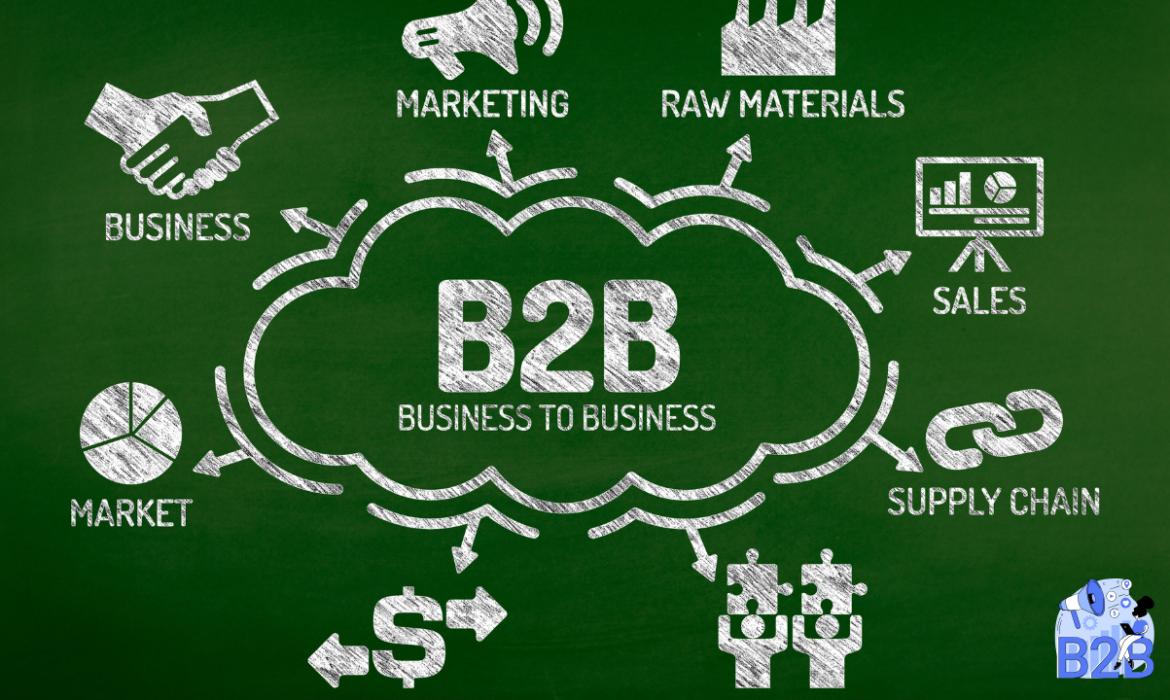
B2B Lead Generation: Comprehensive Guide to Strategies, Techniques, and Best Practices
Introduction
B2B lead generation is a fundamental process that every business needs to master to thrive in today’s competitive market. It involves identifying potential customers, building interest in your product or service, and nurturing these prospects until they are ready to make a purchase. In this guide, we’ll dive deeper into the intricacies of B2B lead generation, and explore advanced strategies, best practices, and the tools that can drive success.
What is B2B Lead Generation?
B2B lead generation refers to the methods and techniques businesses use to attract and engage other businesses as potential customers. Unlike B2C Business-to-Consumer lead generation, where the focus is on individuals, B2B lead generation targets decision-makers in other companies. The process usually includes identifying target businesses, generating interest, capturing their contact information, and nurturing them through the sales funnel.
B2B Lead Generation Statistics
To understand the importance of B2B lead generation, let’s look at some key statistics:
- 67% of B2B marketers identify lead generation as their most important challenge.
- 61% of marketers consider generating high-quality leads to be their biggest challenge.
- Companies with mature lead generation processes achieve 133% greater revenue compared to average companies.
These statistics highlight the need for an effective lead-generation strategy to achieve better business outcomes and a strong return on investment (ROI).
The B2B Lead Generation Process
An effective B2B lead generation strategy generally follows a well-defined process that consists of several stages:
- Identifying the Target Audience
- Defining your ideal customer profile (ICP) and creating buyer personas.
- Using market research to understand their needs, challenges, and industry trends.
- Attracting Prospects
- Using inbound and outbound marketing tactics to draw potential customers to your business.
- Generating content that provides solutions to the problems your target audience faces.
- Capturing Leads
- Collecting contact information through forms, landing pages, and lead magnets.
- Engaging with prospects via email subscriptions, downloadable resources, and event registrations.
- Qualifying Leads
- Segmenting leads based on their level of interest and engagement.
- Using lead scoring techniques to prioritize the most promising prospects.
- Nurturing and Converting Leads
- Developing a relationship with leads through personalized communication.
- Guiding them through the sales funnel with targeted content and follow-ups.
- Analyzing and Optimizing
- Measuring the success of your lead generation efforts.
- Continuously optimizing strategies based on performance data.
Top B2B Lead Generation Strategies and Techniques
Let’s take a closer look at some of the most effective strategies that businesses use for B2B lead generation.
1. Content Marketing
Content marketing is one of the most powerful tools for B2B lead generation. It helps attract, engage, and convert leads by providing valuable information that solves their problems. Common forms of content include:
- Blogs: 77% of B2B marketers use blogs as a part of their content marketing strategy to educate and inform their audience.
- Whitepapers and eBooks: Detailed guides that address specific issues in-depth and can be used as lead magnets.
- Case Studies: Real-world examples of how your products or services have helped other businesses achieve their goals.
2. Search Engine Optimization (SEO)
SEO plays a crucial role in driving organic traffic to your website and improving your visibility in search engine results. Effective SEO strategies for B2B lead generation include:
- On-Page SEO: Optimizing content, headers, meta tags, and images to improve search engine rankings.
- Keyword Research: Identifying relevant keywords that your target audience is using to search for solutions.
- Technical SEO: Ensuring that your website is fast, secure, and mobile-friendly to provide a seamless user experience.
3. Paid Advertising (PPC)
Pay-per-click (PPC) advertising is a highly effective way to generate leads quickly by placing ads on search engines or social media platforms. Key benefits include:
- Immediate Visibility: Your ads appear at the top of search results, increasing your brand’s visibility.
- Targeted Audience: You can target specific industries, companies, job roles, or even individual accounts.
- Conversion Tracking: Analyze the effectiveness of your campaigns and optimize based on data-driven insights.
4. LinkedIn Lead Generation
LinkedIn is the top social media platform for B2B marketing, with over 80% of B2B leads generated from social media coming from LinkedIn. Strategies for LinkedIn lead generation include:
- LinkedIn Ads: Use Sponsored Content, Sponsored InMail, and Display Ads to reach decision-makers.
- Networking: Join industry groups, engage in discussions, and send personalized connection requests.
- Lead Gen Forms: LinkedIn’s built-in lead generation forms make it easy to capture prospects’ information directly from ads.
5. Account-Based Marketing (ABM)
Account-Based Marketing (ABM) is a highly personalized approach to lead generation that focuses on targeting specific high-value accounts. ABM strategies often involve:
- Personalized Campaigns: Developing custom content and offers that directly address the needs of targeted companies.
- Cross-Channel Engagement: Coordinating outreach across email, LinkedIn, direct mail, and sales calls.
- Sales and Marketing Alignment: Ensuring that both teams work together to deliver a consistent experience.
6. Webinars and Virtual Events
Webinars are a cost-effective way to educate your audience and generate leads. Benefits of webinars include:
- Expert Positioning: Showcase your expertise by discussing relevant topics that resonate with your audience.
- Interactive Engagement: Engage with your audience through Q&A sessions, polls, and live discussions.
- Lead Qualification: Attendees of webinars are often highly qualified leads, making them easier to convert.
7. Referral and Partner Programs
Referral and partner programs can help you leverage your existing customer base and business partners to generate new leads. Tips for creating an effective program include:
- Incentives: Offer rewards, discounts, or other incentives to motivate referrals.
- Ease of Use: Make the referral process simple and quick for your customers.
- Co-Branding Opportunities: Collaborate with partners to expand your reach to a broader audience.
Best Practices for B2B Lead Generation
To get the most out of your B2B lead generation efforts, consider these best practices:
- Create a Lead Scoring System: Rank leads based on their engagement, fit, and readiness to purchase.
- Focus on Quality Over Quantity: Prioritize generating high-quality leads over a large volume of unqualified ones.
- Data-Driven Decision Making: Use analytics to track KPIs like conversion rates, cost per lead, and ROI.
- Personalize Outreach: Customize your messages to address the specific needs and challenges of each lead.
- Optimize Landing Pages: Ensure that landing pages are clear, concise, and have a strong call-to-action.
Tools for B2B Lead Generation
Using the right tools can streamline your B2B lead generation efforts and increase efficiency. Some of the most effective tools include:
- HubSpot: A robust marketing and sales platform with lead generation, CRM, and automation capabilities.
- Salesforce: Offers comprehensive CRM and lead management solutions tailored for B2B businesses.
- LinkedIn Sales Navigator: Helps identify and engage with the right leads on LinkedIn.
- Mailchimp: A versatile email marketing tool that aids in creating personalized campaigns.
- Leadfeeder: Tracks website visitors and identifies which companies are interested in your offerings.
Common Challenges in B2B Lead Generation
Despite the effectiveness of B2B lead generation strategies, many businesses encounter common challenges:
- Generating High-Quality Leads: Difficulty in finding leads that are a good fit for your business.
- Lead Nurturing: Struggling to keep leads engaged and move them through the sales funnel.
- Alignment Between Sales and Marketing: Ensuring both teams are on the same page to maximize lead conversion.
- Data Management: Handling large volumes of lead data and keeping it up-to-date.
Conclusion
B2B lead generation is a multifaceted process that requires a strategic approach, consistent effort, and a focus on quality. By leveraging a mix of content marketing, SEO, paid advertising, LinkedIn strategies, and account-based marketing, businesses can generate a steady flow of high-quality leads. Combining these strategies with the right tools and best practices will help you build a strong lead-generation process that drives sustainable growth for your business.
Mastering B2B lead generation is not just about attracting leads but also nurturing and converting them into loyal customers. Consistently measure your efforts, analyze data, and optimize your strategies to stay ahead in the competitive B2B landscape.

The Power of Social Media Marketing: An In-Depth Guide for Success
In the digital age, social media marketing is no longer a luxury but a necessity for businesses seeking to stay competitive. From small local stores to global enterprises, brands leverage social media platforms to enhance visibility, engage with their audience, and increase sales. This guide will provide a comprehensive overview of what social media marketing is, why it’s crucial for your business, and the best practices for implementing a successful strategy.
What is Social Media Marketing?
Social media marketing is the use of social media platforms to promote products, services, and brands by creating and sharing relevant content. The goal is to engage with a targeted audience, increase brand awareness, drive website traffic, and ultimately, boost sales. It involves both organic activities (like posts and engagement) and paid advertising to reach a wider audience.
Popular Platforms for Social Media Marketing
Understanding the strengths of each platform will help you decide where to focus your marketing efforts:
- Facebook: Ideal for businesses aiming to reach a broad audience with diverse content types, including posts, images, videos, and ads. Facebook Ads allow precise targeting based on demographics, interests, and behaviors.
- Instagram: Best for brands targeting a younger audience with visually appealing content. Instagram is perfect for image and video posts, Stories, Reels, and influencer collaborations. Its shoppable posts also facilitate social commerce.
- Twitter: Known for real-time updates and engagement, Twitter is suitable for businesses that want to join trending conversations, customer service, and quick announcements. Its fast-paced nature requires frequent posting.
- LinkedIn: The top platform for B2B marketing and professional networking. LinkedIn is ideal for sharing industry news, thought leadership articles, and connecting with other professionals.
- Pinterest: Great for businesses in niches like fashion, home decor, food, and DIY. It serves as a visual search engine that drives traffic to websites through image-based pins.
- TikTok: Quickly gaining popularity among younger audiences, TikTok is all about short-form videos. Brands use it for creative challenges, behind-the-scenes content, and influencer marketing.
Why Social Media Marketing is Important
- Boosts Brand Recognition Social media platforms are a great way to introduce your brand to potential customers. Consistent and strategic use of social media can create a recognizable brand image and increase your reach. When users see your brand regularly in their feed, they’re more likely to remember and engage with it.
- Increases Website Traffic and SEO Social media is not just about direct sales but also about driving traffic to your website. Sharing blog posts, landing pages, and product links can direct followers to your site, increasing the chances of conversions. While social media signals don’t directly influence SEO rankings, increased traffic and engagement can indirectly improve your search engine performance.
- Cost-Effective Advertising Social media ads are among the most cost-effective forms of online advertising. You can set budgets and bids according to your needs, making it affordable for businesses of all sizes. Platforms like Facebook and Instagram offer detailed analytics, so you can measure ROI and adjust your campaigns for optimal performance.
- Enhanced Customer Engagement Social media provides a unique opportunity for direct interaction with customers. Quick responses to questions, comments, and messages help build trust and loyalty. It’s also a great way to gather valuable customer feedback that can inform your product or service improvements.
- Competitor Analysis Social media allows you to keep a close eye on your competitors. Analyzing their strategies, content, and customer interactions can provide insights into what works and what doesn’t, helping you refine your marketing tactics.
Effective Social Media Marketing Strategies
- Define Clear Objectives and KPIs Identify what you want to achieve with your social media marketing efforts. Whether your focus is on increasing brand awareness, generating leads, driving traffic, or boosting sales, setting clear goals and key performance indicators (KPIs) will guide your strategy and help measure success.
- Know Your Target Audience in Detail Understanding your audience’s preferences, pain points, and online behavior is crucial for crafting relevant content. Use social media analytics tools to gather data on your audience’s demographics and engagement patterns to create more personalized and effective content.
- Content Planning and Scheduling Consistency is key in social media marketing. Create a content calendar to plan and schedule posts in advance. This not only saves time but also ensures that your content aligns with your marketing objectives and seasonal trends. Tools like Hootsuite, Buffer, and Sprout Social can help manage your posts across multiple platforms.
- Leverage Visual Content Visuals are more engaging than text-based content, and platforms like Instagram, Pinterest, and TikTok thrive on them. Use high-quality images, infographics, videos, and memes to grab attention. For even greater impact, consider live streaming or creating interactive content like quizzes and polls.
- Utilize User-Generated Content (UGC) Encourage your followers to create and share content related to your brand. UGC not only serves as authentic social proof but also boosts engagement and creates a community around your brand. Feature this content on your profile to show appreciation to your loyal customers.
- Invest in Paid Advertising Organic reach on social media is declining, making paid advertising an essential part of the strategy. Platforms like Facebook, Instagram, and LinkedIn offer advanced targeting options that allow you to reach specific audiences based on their demographics, interests, and behaviors.
- Influencer Marketing Collaboration Partnering with influencers can amplify your reach and credibility. Influencers have loyal followers who trust their recommendations, and a well-planned collaboration can introduce your brand to a broader audience. Choose influencers whose audience aligns with your target market for the best results.
- Monitor and Analyze Performance Regularly monitor your social media metrics to understand what’s working and what needs improvement. Metrics like engagement rate, click-through rate (CTR), conversion rate, and follower growth are crucial indicators of your campaign’s success. Use tools like Google Analytics, Facebook Insights, and Instagram Analytics for detailed performance analysis.
Trends Shaping the Future of Social Media Marketing
The social media landscape is always changing, and staying ahead of trends can give your brand a competitive edge:
- Short-Form Video Dominance: Platforms like TikTok, Instagram Reels, and YouTube Shorts highlight the power of short-form videos. These formats are highly engaging and easy to consume, making them perfect for capturing the attention of users.
- Rise of Ephemeral Content: Temporary content like Instagram Stories and Snapchat posts that disappear after 24 hours are becoming more popular. This type of content is ideal for sharing behind-the-scenes moments, limited-time promotions, and interactive polls.
- Increased Use of AI and Chatbots: Artificial Intelligence (AI) and chatbots are enhancing customer service on social media. Brands use chatbots to provide instant responses to common questions, improving customer experience and reducing response times.
- Integration of Augmented Reality (AR): AR features like Instagram filters and Facebook AR ads are revolutionizing the way users interact with brands. These interactive tools make it easier for customers to visualize products in their environment.
- Social Commerce Expansion: Platforms like Instagram, Facebook, and Pinterest are enhancing their e-commerce capabilities, allowing users to shop directly from the app. Shoppable posts and in-app checkout features make it easier than ever for brands to convert followers into customers.
How to Measure the Success of Your Social Media Marketing
Measuring the effectiveness of your social media marketing efforts is critical to refining your strategy. Key metrics to track include:
- Reach: How many people saw your content?
- Engagement: The number of likes, shares, comments, and clicks your content received.
- Conversion Rate: The percentage of users who took a desired action after seeing your post or ad.
- Referral Traffic: How much traffic your website gets from social media channels.
- ROI: Return on investment for your paid social media campaigns.
Use these metrics to assess the impact of your strategies and make data-driven decisions for future campaigns.
Conclusion
Social media marketing is a dynamic and powerful way to grow your business in the digital world. By understanding your audience, creating engaging content, utilizing the right tools, and staying on top of trends, you can harness the full potential of social media platforms. With a strategic approach, social media can drive significant growth, boost your brand’s visibility, and build a loyal customer base that drives long-term success.
How to Build a WordPress Website: A Complete Guide for Beginners
Building a website may seem like an overwhelming task, but using WordPress simplifies the process and allows you to create a stunning, professional website without needing to code. WordPress is the world’s most popular content management system (CMS), powering over 40% of all websites globally. Whether you want to start a blog, create an online store, or build a portfolio, WordPress offers flexibility, ease of use, and a range of customization options. This guide provides a comprehensive step-by-step process to help you build a WordPress website.
What is WordPress?
WordPress is an open-source content management system (CMS) that enables users to create and manage websites. It comes in two forms:
- WordPress.com: A hosted version with different pricing plans, including a free option. It’s suitable for beginners but offers limited flexibility compared to its counterpart.
- WordPress.org: The self-hosted version, which requires you to have a web hosting account. This version provides full control over your website, making it the go-to choice for professionals and businesses looking for advanced customization.
We will focus on WordPress.org in this guide because of its flexibility, control, and range of features.
Step 1: Choose a Domain Name and Web Hosting
Before setting up your WordPress website, you’ll need a domain name and web hosting provider. Here’s what they mean:
- Domain Name: This is your website’s address (like www. yourwebsite. com). Choose a name that is simple, memorable, and relevant to your business or personal brand.
- Web Hosting: A service that stores your website’s files and makes them accessible on the internet. It determines your site’s speed, uptime, and overall performance.
Recommended Hosting Providers
Some popular web hosting providers that offer seamless integration with WordPress are:
- Bluehost: Officially recommended by WordPress, it offers a one-click WordPress installation, great support, and affordable pricing.
- SiteGround: Known for excellent customer support, security, and fast performance.
- HostGator: Provides budget-friendly plans and reliable performance for beginners.
Tip: Make sure your hosting provider offers features like SSL certificates (for site security), free email accounts, and 24/7 customer support.
Step 2: Install WordPress on Your Hosting Account
Most hosting providers offer a straightforward way to install WordPress using a one-click setup. Follow these steps:
- Log in to your web hosting account’s control panel (often called cPanel).
- Locate the WordPress installer, usually under sections like “Website” or “Softaculous Apps Installer.”
- Click on the WordPress icon and follow the installation instructions.
- Enter your website details, including your admin username, password, and email address.
- Once the installation is complete, you can log in to your WordPress dashboard at www.yourwebsite.com/wp-admin.
Step 3: Choose and Customize a WordPress Theme
Your theme determines your website’s look and feel, affecting how visitors perceive your brand. WordPress offers thousands of free and premium themes to suit any industry or purpose.
- In your WordPress dashboard, go to Appearance > Themes > Add New.
- Browse the available themes, or use the search bar to find specific designs.
- Preview themes to see how they look on your site and install the one that matches your style.
- Click Activate to apply the theme to your website.
Recommended Free and Premium Themes
- Astra: Lightweight, fast, and fully customizable, perfect for beginners.
- OceanWP: Versatile and feature-rich, suitable for various website types.
- Divi (premium): Comes with a powerful drag-and-drop builder for easy customization.
- GeneratePress (premium): Known for its speed and performance, ideal for content-heavy sites.
To further customize your theme, go to Appearance > Customize. Here, you can modify the colors, fonts, logo, header, footer, and other design elements.
Step 4: Install Essential Plugins for Your WordPress Website
Plugins are add-ons that extend your website’s functionality. With over 58,000 plugins available, you can add features like contact forms, security, SEO tools, social media integration, and much more.
Must-Have Plugins for Every WordPress Website
- Yoast SEO: Helps optimize your website for search engines by guiding you through on-page SEO practices.
- Elementor: A drag-and-drop page builder that makes designing your site intuitive and straightforward.
- WooCommerce: If you plan to create an online store, this plugin is the most popular e-commerce solution for WordPress.
- UpdraftPlus: An essential tool for creating website backups to protect your data.
- Wordfence Security: Provides a firewall and malware scanner to keep your site secure.
How to Install a Plugin
- From your WordPress dashboard, go to Plugins > Add New.
- Search for the plugin you want and click Install Now.
- Once installed, click Activate to enable the plugin on your website.
Step 5: Create Essential Pages for Your Website
Every website should have a few core pages to provide visitors with valuable information and help them navigate easily.
Important Pages to Create:
- Home Page: The main landing page that introduces visitors to your brand or business.
- About Page: Shares the story of your business, your mission, and what you offer.
- Contact Page: Provides your contact information, including a form that visitors can use to reach you.
- Services or Products Page: Lists the services you offer or the products you sell.
- Blog Page: If you plan to publish articles or updates, a blog section is essential.
To create a new page:
- Navigate to Pages > Add New in your WordPress dashboard.
- Enter the page title and add content using the block editor.
- Click Publish to make the page live.
Step 6: Optimize Your Website for Speed and SEO
A fast-loading and SEO-friendly website can significantly improve your search engine rankings and user experience.
Speed Optimization Tips:
- Use a Caching Plugin: Plugins like W3 Total Cache or WP Super Cache help speed up your site by storing a static version of your content.
- Optimize Images: Compress images with plugins like Smush or Imagify to reduce their file size without losing quality.
- Minimize CSS and JavaScript Files: Use a plugin like Autoptimize to reduce code bloat and improve load times.
SEO Optimization Tips:
- Keyword Research: Use tools like Google Keyword Planner or Ubersuggest to find relevant keywords for your content.
- On-Page SEO: Optimize meta titles, descriptions, and headings with target keywords using Yoast SEO.
- Internal Linking: Link to relevant content within your website to improve navigation and SEO.
Step 7: Enhance Your Site’s Security
Security is a crucial aspect of running a WordPress website. Taking the necessary precautions helps protect your site from malware, hacking attempts, and data breaches.
Essential Security Measures:
- Install a Security Plugin: Use plugins like Wordfence or Sucuri Security to monitor your site for malicious activities.
- Use Strong Passwords: Create strong, unique passwords for all user accounts on your website.
- Enable Two-Factor Authentication: Add an extra layer of security by enabling two-factor authentication for user logins.
- Regular Backups: Set up automatic backups to protect your data in case of an attack or system failure.
Step 8: Launch Your WordPress Website
Before you launch, do a thorough review of your website to ensure everything works smoothly.
- Test All Links: Check for broken links or any navigation issues.
- Mobile-Friendliness: Make sure your site looks good and functions well on mobile devices.
- Check for Errors: Use tools like Google Search Console to identify website errors or issues.
- SEO Review: Ensure all pages are optimized for search engines with relevant keywords.
Once you’re confident that your site is ready, promote it through social media, email marketing, and other digital marketing strategies to share it with the world.
Conclusion
Building a WordPress website is a straightforward process that anyone can accomplish, even without technical expertise. You can create a professional-looking site that meets your goals with the right domain, hosting provider, and theme. The key is to focus on quality content, SEO optimization, and consistent updates to engage visitors and grow your audience. With WordPress, the possibilities are endless, and your website can evolve as your business or blog expands.

E-Commerce SEO: Boosting Your Online Store’s Visibility and Sales
As the e-commerce landscape continues to grow, the need for effective strategies to increase visibility and drive sales has never been more critical. E-Commerce SEO (Search Engine Optimization) plays a pivotal role in ensuring your online store stands out in a competitive marketplace. This comprehensive guide delves into the significance of E-Commerce SEO, outlines key strategies, best practices, and potential pitfalls, and provides actionable insights to enhance your online presence.
Understanding E-Commerce SEO
E-commerce SEO refers to the process of optimizing an online retail site to improve its visibility in search engine results. The primary goal is to attract organic traffic to product pages and ultimately increase conversion rates. Effective E-Commerce SEO combines standard SEO practices with specific tactics tailored to the unique needs of e-commerce websites.
Why is E-Commerce SEO Important?
- Increased Visibility and Traffic:
- High Competition: With over 2.14 billion digital buyers in 2021, the competition among e-commerce sites is fierce. A well-optimized site can help your business appear in front of potential customers actively searching for products.
- Search Engine Rankings: Higher rankings on search engines like Google lead to increased visibility and more traffic to your online store.
- Cost-Effective Marketing:
- Organic Traffic: Unlike paid ads, which require continuous investment, organic traffic generated through SEO is free. While it requires an upfront investment of time and resources, the long-term benefits can far outweigh the costs.
- Sustainable Growth: SEO can provide a steady stream of traffic without the need for ongoing advertising spending.
- Enhanced User Experience:
- Site Usability: SEO efforts often lead to a better user experience, including improved site speed, mobile optimization, and intuitive navigation.
- Lower Bounce Rates: A well-structured site keeps visitors engaged, reducing bounce rates and increasing the chances of conversion.
- Higher Conversion Rates:
- Targeted Traffic: By optimizing for specific keywords, your site attracts visitors who are more likely to convert into paying customers. This targeted approach increases the effectiveness of your marketing efforts.
Key E-Commerce SEO Strategies
1. Comprehensive Keyword Research
Understanding User Intent:
- Types of Keywords: Focus on different types of keywords: short-tail (general), long-tail (specific), and transactional (purchase-oriented). For instance, “shoes” (short-tail) vs. “women’s running shoes” (long-tail).
- Tools for Research: Use tools like E-Commerce SEO Google Keyword Planner, Ahrefs, or SEMrush to identify relevant keywords with high search volume and low competition.
Competitor Analysis:
- Analyze competitors to discover which keywords they are targeting and where they are ranking. This can provide valuable insights for your keyword strategy.
2. Optimize Product Pages
Title Tags and Meta Descriptions:
- Craft compelling title tags (50-60 characters) and meta descriptions (150-160 characters) that include target keywords and entice users to click.
Unique Product Descriptions:
- Avoid duplicate content by writing unique product descriptions that highlight features, benefits, and usage. Incorporate relevant keywords naturally.
Image Optimization:
- Use high-quality images with descriptive file names (e.g., “blue-running-shoes.jpg”) and alt text (e.g., “Blue women’s running shoes”). This helps with SEO and improves accessibility.
3. Enhance Site Structure
Logical Organization:
- Create a clear hierarchy for your site. Use categories and subcategories to help users find products easily. For example, a site selling clothing might have categories for “Men,” “Women,” and “Kids.”
SEO-Friendly URLs:
- Use clean, descriptive URLs that include relevant keywords (e.g.,
www.example.com/womens-running-shoes).
4. Mobile Optimization
Responsive Design:
- Ensure your e-commerce site is responsive and provides a seamless experience across all devices. Google prioritizes mobile-friendly sites in its rankings.
Loading Speed:
- Optimize images and use caching techniques to improve loading speed. A faster site leads to lower bounce rates and higher user satisfaction.
5. Build Quality Backlinks
Content Marketing:
- Create valuable content that others want to link to, such as how-to guides, infographics, or industry reports. This can enhance your site’s authority and improve SEO.
Partnerships and Collaborations:
- Work with influencers, bloggers, or other e-commerce sites to generate backlinks. Guest posting on reputable sites in your niche can also be effective.
6. Leverage Local SEO
Google My Business:
- For businesses with physical locations, create and optimize your Google My Business profile. This can help attract local customers and improve your search rankings.
Local Keywords:
- Incorporate location-based keywords into your content, meta descriptions, and product listings.
7. Monitor and Analyze Performance
Use Analytics Tools:
- Regularly monitor site performance using tools like Google Analytics and Google Search Console. Track metrics such as organic traffic, conversion rates, and bounce rates.
Adapt Strategies:
- Use insights from your data analysis to adapt your SEO strategies continuously. Identify which keywords are driving traffic and conversions, and refine your approach accordingly.
Common Pitfalls to Avoid
- Neglecting Mobile Optimization:
- Failing to optimize for mobile can lead to lost sales, as many users shop on their phones. Ensure your site is mobile-friendly and performs well on all devices.
- Ignoring Page Speed:
- Slow-loading pages can frustrate users and lead to high bounce rates. Regularly test your site’s speed and address any issues promptly.
- Duplicate Content:
- Duplicate product descriptions across multiple pages can harm your SEO. Aim for unique descriptions for each product to improve rankings.
- Lack of Ongoing SEO Efforts:
- SEO is not a one-time task but an ongoing process. Regularly update your content, monitor performance, and adapt strategies as needed.
Conclusion
E-Commerce SEO is essential for any online store looking to succeed in a competitive digital marketplace. By understanding its importance and implementing effective strategies, businesses can enhance their visibility, attract targeted traffic, and increase sales. Investing in E-Commerce SEO is not just about optimizing for search engines; it’s about creating a better experience for customers and fostering long-term growth. Start optimizing your e-commerce site today to unlock its full potential and achieve lasting success in the online retail world.
A Comprehensive Guide to Local SEO: Boosting Your Business Visibility
Understanding Local SEO
Local SEO (Search Engine Optimization) is the process of optimizing your online presence to attract more business from relevant local searches. Unlike traditional SEO, which focuses on global or national search queries, local SEO aims to connect businesses with users in their specific geographic area.
With the increasing reliance on mobile devices and voice search, local SEO has become a vital component of digital marketing strategies for small businesses, retail outlets, service providers, and any business that operates in a specific area.
The Importance of Local SEO
The significance of local SEO can’t be overstated, especially for businesses that rely on local customers. Here are some compelling reasons why local SEO is crucial:
- Growing Local Searches: Over 46% of all Google searches are seeking local information. This trend indicates that consumers are actively looking for products and services nearby.
- Increased Foot Traffic: Studies show that 76% of mobile searchers who look for something nearby visit a business within a day. Optimizing for local search can significantly increase foot traffic.
- High Conversion Rates: Local searches often have high conversion rates; 28% of searches for something nearby result in a purchase. This means users are more likely to act after performing a local search.
- Competitive Edge: In many industries, local competition is fierce. A strong local SEO strategy can give your business a competitive advantage, helping you stand out in a crowded marketplace.
Key Components of Local SEO
To maximize your local SEO efforts, you should focus on several core components:
1. Google My Business (GMB) Optimization
Google My Business (GMB) is the cornerstone of local SEO. Properly optimizing your GMB profile can significantly improve your local search visibility.
- Claim Your Business: If you haven’t already, claim your business on GMB. This verification process gives you control over your business information.
- Complete All Information: Fill out every section of your GMB profile, including business name, address, phone number (NAP), website, operating hours, and category.
- Use Posts and Updates: Regularly post updates, offers, or events on your GMB profile to engage with your audience and keep your listing fresh.
- Add Rich Media: Upload high-quality images and videos of your business, products, and services to attract more customers. Profiles with photos receive 42% more requests for directions and 35% more click-throughs to their websites.
- Utilize GMB Attributes: Highlight special features like wheelchair accessibility, free Wi-Fi, or outdoor seating, which can make your business more attractive to potential customers.
2. Local Citations and NAP Consistency
Local citations are online mentions of your business that can affect your local search ranking. NAP consistency is crucial for building credibility with search engines.
- Build Citations: List your business in local directories such as Yelp, Yellow Pages, and industry-specific sites. Consistent citations help search engines confirm your business’s legitimacy.
- Maintain NAP Consistency: Ensure your NAP information is the same across all platforms. Any discrepancies can confuse search engines, potentially harming your local rankings.
- Use Structured Data Markup: Implement Schema markup on your website to provide search engines with more information about your business, helping to improve local search visibility.
3. Localized Content Creation
Creating content that resonates with your local audience is a powerful way to improve your local SEO.
- Local Blog Posts: Write blog posts that address local events, news, or topics relevant to your community. This can position your business as a local authority.
- Target Local Keywords: Use keyword research tools to identify relevant local keywords. Include them naturally in your website content, headers, and metadata.
- Create Location-Specific Landing Pages: If your business serves multiple areas, create dedicated landing pages for each location with tailored content and local keywords.
4. Online Reviews and Reputation Management
Online reviews significantly impact local SEO and consumer behavior. They build trust and credibility for your business.
- Encourage Customer Reviews: Ask satisfied customers to leave positive reviews on your GMB profile and other review sites. The more positive reviews, the better your local search ranking.
- Respond to Reviews: Engage with customers by responding to both positive and negative reviews. This shows that you value feedback and are committed to customer satisfaction.
- Utilize Review Management Tools: Tools like BirdEye or Podium can help manage and solicit reviews, making it easier to maintain a positive online reputation.
5. Mobile Optimization
As a significant portion of local searches occurs on mobile devices, optimizing your website for mobile users is essential.
- Responsive Design: Ensure your website is mobile-friendly and provides a seamless experience across all devices.
- Fast Load Times: Optimize your website’s performance by compressing images, minimizing code, and leveraging browser caching. A fast-loading site improves user experience and can positively impact your rankings.
- Easy Navigation: Simplify your site’s navigation to help users quickly find information, especially on smaller screens.
Local SEO Ranking Factors
Understanding the factors that influence local search rankings can help refine your strategy. Key ranking factors include:
- Proximity: How close your business is to the searcher. Google favors businesses that are nearby.
- Relevance: How well your business matches the user’s search intent. The more relevant your offerings are, the higher you rank.
- Prominence: How well-known and reputable your business is. This can be influenced by online reviews, backlinks, and mentions in local media.
Tools for Local SEO Success
Several tools can assist you in optimizing your local SEO strategy:
- Moz Local: A tool that helps you manage your local listings and ensure NAP consistency across various platforms.
- BrightLocal: Offers comprehensive local SEO reports, rank tracking, and review management tools, making it easy to monitor your performance.
- Google Keyword Planner: This helps you discover relevant local keywords to enhance your content strategy.
- SEMrush: This powerful SEO tool provides insights into competitor strategies and local keyword performance, helping you refine your approach.
Best Practices for Local SEO
To implement a successful local SEO strategy, follow these best practices:
- Claim and Optimize Your Google My Business Profile: Make it informative, engaging, and up-to-date.
- Ensure NAP Consistency Across All Platforms: This builds credibility and improves search rankings.
- Encourage and Manage Customer Reviews: Foster a positive online reputation through engagement and responsiveness.
- Create Location-Specific Content: Write about local events, news, and topics relevant to your audience.
- Optimize Your Website for Mobile: Prioritize responsive design and fast loading times to enhance user experience.
Conclusion
Local SEO is an essential strategy for businesses looking to increase their visibility and attract local customers. By optimizing your Google My Business profile, creating localized content, managing online reviews, and ensuring mobile optimization, you can improve your local search rankings and drive more traffic to your business.
Investing in local SEO is not just about gaining visibility; it’s about connecting with your community and providing value to your customers. With the right approach, local SEO can be a game-changer, ensuring your business stands out in the crowded local marketplace. Whether you’re a small business owner, a service provider, or a retailer, implementing effective local SEO strategies can lead to increased foot traffic, higher conversion rates, and ultimately, greater success.