

The Ultimate Guide to Building a Professional WordPress Website
In the ever-evolving digital landscape, having a professional online presence is crucial for success. Whether you’re a freelancer, business owner, or creative, a WordPress website offers an effective and scalable way to present your brand and interact with your audience. WordPress is the most popular CMS globally, powering over 40% of all websites. This comprehensive guide will take you through everything you need to know about building a professional WordPress website, from initial planning to advanced customization.
1. Why Choose WordPress for Your Website?
Choosing the right platform is the first and most crucial decision when building a website. WordPress is a preferred choice for many reasons:
- User-Friendly: Its intuitive dashboard and interface allow beginners to create, edit, and manage content without the need for technical skills.
- Versatile and Scalable: WordPress supports everything from simple blogs to massive e-commerce sites, making it ideal for growing businesses.
- Open-Source Community: WordPress is open-source, meaning a large community constantly contributes to its development. This results in numerous plugins, themes, and continuous improvements.
- SEO Capabilities: WordPress provides built-in SEO features and works well with plugins like Yoast SEO, enabling you to boost your search engine rankings.
- Security Features: Regular updates, security plugins, and best practices make it a secure platform when managed correctly.
2. Planning Your Professional WordPress Website
Before diving into technical steps, planning is essential. Outline your goals, target audience, and website structure. Here’s a checklist:
- Define the Purpose: Is your site for blogging, business promotion, e-commerce, or portfolio display?
- Know Your Audience: Determine who your target audience is and tailor your site’s design and content to their needs.
- Map Out Essential Pages: Identify key pages like the homepage, about page, services/products, blog, and contact page.
- Create a Visual Sitemap: Sketch or use tools like Lucidchart to visualize your site’s structure and navigation flow.
3. Choose the Right Hosting Plan for Your WordPress Website
Your website’s hosting plan plays a critical role in its performance, security, and scalability. Consider these types of hosting:
- Shared Hosting: Cost-effective and suitable for beginners or small sites. Your website shares server resources with other sites.
- VPS Hosting: A virtual private server (VPS) offers more control and dedicated resources for moderate to high-traffic sites.
- Dedicated Hosting: Ideal for large businesses or high-traffic websites needing full server control.
- Managed WordPress Hosting: Tailored specifically for WordPress, it includes automatic updates, enhanced security, and support.
Some reputable hosting providers include SiteGround, Bluehost, WP Engine, and Kinsta. Choose based on reliability, performance, support, and pricing.
4. Installing WordPress: Manual vs. One-Click Installation
Most hosting providers offer a one-click installation process, which is recommended for beginners. However, advanced users or developers might prefer manual installation.
One-Click Installation:
- Log in to your hosting account.
- Go to the cPanel and find the WordPress installer (Softaculous, QuickInstall, etc.).
- Click ‘Install,’ select your domain, fill in your site details, and complete the installation.
Manual Installation:
- Download the WordPress .zip file from WordPress.org.
- Upload the extracted files to your server’s public_html directory using an FTP client like FileZilla.
- Create a MySQL database via cPanel.
- Follow the on-screen setup instructions to link the database and finalize the installation.
5. Selecting and Customizing a WordPress Theme
The theme defines your website’s visual appeal and layout. WordPress offers thousands of free and premium themes, but choosing the right one is crucial.
- Free vs. Premium Themes: Free themes are a good start, but premium themes offer enhanced customization, better support, and more robust features.
- Considerations When Choosing a Theme:
- Responsive Design: Your theme should adapt seamlessly to different devices and screen sizes.
- SEO Friendliness: Lightweight themes with clean code help improve site loading speed and SEO performance.
- Customization Options: Look for themes offering drag-and-drop editors, layout variations, and easy-to-use options panels.
Some popular multipurpose themes are Astra, GeneratePress, Divi, and OceanWP. For advanced customization, consider using a theme builder like Elementor or Beaver Builder.
6. Installing Essential Plugins for Added Functionality
Plugins are one of the key reasons WordPress is so popular. Here are some essential plugins every WordPress website should have:
- SEO Plugin: Yoast SEO or Rank Math for optimizing pages and posts for search engines.
- Security Plugin: Wordfence Security, Sucuri, or iThemes Security to protect against threats.
- Backup Plugin: UpdraftPlus or BackupBuddy for automated backups.
- Caching Plugin: W3 Total Cache or WP Rocket for improved speed and user experience.
- Contact Form Plugin: WPForms or Contact Form 7 for creating user-friendly contact forms.
- E-Commerce Plugin: WooCommerce for setting up an online store.
- Analytics Plugin: MonsterInsights for integrating Google Analytics.
For optimal site performance, avoid overloading your website with unnecessary plugins.
7. Creating Essential Pages and Adding Content
When building a WordPress website, certain pages are crucial for delivering a professional user experience:
- Homepage: The most visited page that acts as a gateway to the rest of your site. It should highlight key sections such as your services, products, latest blog posts, and CTAs (Call-To-Action).
- About Page: Share your mission, values, and story to build trust with your audience.
- Services/Products Page: Detail your offerings with clear descriptions, visuals, and pricing information.
- Blog: Regularly updated articles that offer valuable information, industry insights, and updates to engage visitors.
- Contact Page: A well-designed form and contact details for easy communication.
Tip: Use page builders like Elementor, Divi, or the default Gutenberg editor to easily design custom pages without coding knowledge.
8. Optimizing Your WordPress Website for SEO
Search engine optimization (SEO) plays a crucial role in driving organic traffic to your website. Here’s how to make your WordPress website SEO-friendly:
- Perform Keyword Research: Use tools like Google Keyword Planner, Ahrefs, or SEMrush to identify relevant keywords with high search volume and low competition.
- On-Page SEO:
- Title Tags: Use keyword-rich, descriptive titles that are under 60 characters.
- Meta Descriptions: Write engaging meta descriptions within 155-160 characters.
- Alt Text for Images: Include keywords in alt text to help search engines understand image content.
- Use Schema Markup: Leverage plugins like Schema Pro to add structured data for better search engine understanding and rich results.
- Optimize Page Speed: Compress images using Smush, enable caching with WP Rocket, and consider using a CDN (Content Delivery Network) like Cloudflare.
- Mobile Optimization: Ensure your theme is fully responsive and passes Google’s Mobile-Friendly Test.
9. Ensuring Security and Backups for Your WordPress Website
Website security is crucial to protect your site and your users’ data. Follow these best practices:
- Use Strong Passwords: Implement password policies and encourage complex passwords.
- Install SSL Certificates: SSL encrypts data and provides users with a secure experience. Many hosting providers offer free SSL certificates.
- Enable Two-Factor Authentication (2FA): Add an extra layer of protection for admin logins using a plugin like Two Factor Authentication.
- Regular Backups: Schedule daily or weekly backups using plugins like UpdraftPlus or BackupBuddy.
- Update Regularly: Always keep your WordPress core, plugins, and themes updated to avoid vulnerabilities.
10. Launching and Promoting Your WordPress Website
Before launching your WordPress website, perform a thorough check:
- Test All Pages: Ensure all pages, links, forms, and media function correctly.
- Validate HTML and CSS: Use W3C Validator to identify code errors and improve website quality.
- Submit Your Sitemap: Create an XML sitemap using Yoast SEO and submit it to Google Search Console for faster indexing.
- Promote on Social Media: Utilize platforms like LinkedIn, Facebook, Twitter, and Instagram to announce your launch and share your content.
- Implement Email Marketing: Build an email list using plugins like Mailchimp and send regular newsletters to keep visitors engaged.
Conclusion
Building a professional WordPress website may seem daunting initially, but with a clear plan, the right tools, and consistent effort, it becomes a highly rewarding experience. WordPress’s flexibility, scalability, and community support make it an ideal choice for anyone looking to create a robust online presence. By following the steps outlined in this guide, you’ll be able to design a website that’s not only visually appealing but also optimized for search engines, secure, and user-friendly.
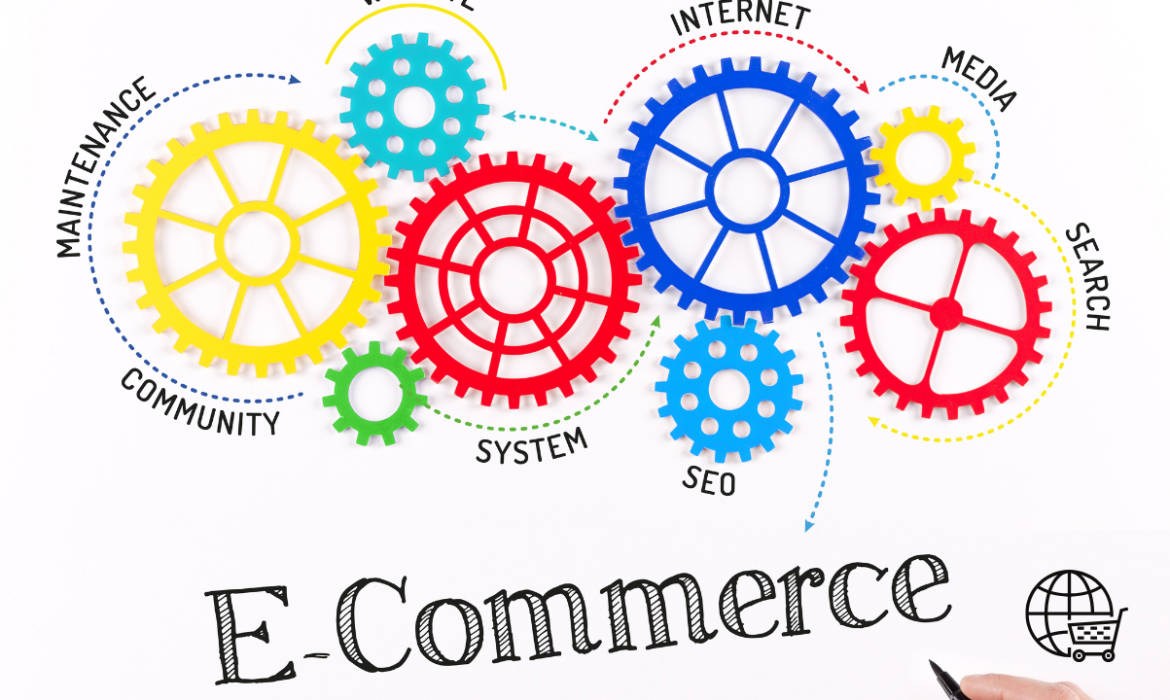
E-Commerce SEO: The Ultimate Guide to Optimizing Your Online Store
In the ever-evolving world of e-commerce, simply having an online store is not enough. To thrive, you need visibility, traffic, and, most importantly, customers. That’s where E-Commerce SEO comes into play. In this guide, we’ll dive deep into every facet of E-Commerce SEO, helping you rank higher, attract more traffic, and maximize conversions.
What is E-Commerce SEO?
E-Commerce SEO (Search Engine Optimization) is the process of improving the visibility of an online store in search engine results. Unlike traditional websites, e-commerce sites involve optimizing individual product pages, category pages, and site architecture to attract targeted organic traffic. The goal is simple: increase your store’s search rankings to bring in more potential buyers.
Why is E-Commerce SEO Crucial for Online Success?
When consumers search for products online, they rarely move past the first page of search results. In fact, the top five results account for nearly 68% of all clicks. Therefore, your goal should be to appear among these top results. Here’s why investing in E-Commerce SEO is essential:
- Cost-Efficient Customer Acquisition: Paid campaigns can drive traffic, but organic SEO generates consistent traffic without ongoing costs.
- Brand Trust and Credibility: High organic rankings boost brand credibility in the eyes of potential customers.
- Higher Conversion Rates: SEO attracts highly targeted traffic, increasing the chances of converting visitors into buyers.
Key Elements of E-Commerce SEO
1. Keyword Research for E-Commerce
Keyword research is foundational to your e-commerce SEO strategy. Understanding the keywords your audience is searching for allows you to create relevant content and optimize your pages effectively. Consider these approaches:
- Primary and Secondary Keywords: Start with broad keywords, but also include secondary, more specific terms to capture niche audiences. For instance, for a store selling fitness products, “best dumbbells for home workouts” could be a specific keyword.
- Navigational Keywords: These guide users to the right section of your site, such as “men’s running shoes.”
- Competitor Analysis: Use tools like Ahrefs, SEMrush, or Moz to identify keywords your competitors are ranking for.
2. On-Page SEO for E-Commerce
On-page optimization focuses on individual page elements to improve relevance and ranking. Key areas include:
- Optimized Product Titles: Make sure your product titles include primary keywords. Avoid keyword stuffing but be descriptive and specific.
- Example: “Adidas Men’s Ultraboost 21 Running Shoes – Lightweight, Comfortable & Breathable.”
- Unique Product Descriptions: Create compelling descriptions that explain the features, benefits, and use cases of the product. Example:
- “These lightweight running shoes provide maximum comfort with their responsive cushioning, ideal for long runs and daily training sessions.”
- Internal Linking: Link related products to enhance user experience and reduce bounce rate. Example: “Customers who viewed this product also viewed…”
3. Technical SEO for E-Commerce
Technical SEO focuses on improving the infrastructure of your site to help search engines crawl and index pages more efficiently. Key elements include:
- Website Architecture: Maintain a clear hierarchy. Ideally, your homepage should be within three clicks of any product page. Implement a clean URL structure such as:
- example.com/men/shoes/running/ultraboost-21/
- Robust XML Sitemap: An XML sitemap helps search engines understand the structure of your website. Regularly update and submit your sitemap to Google Search Console.
- Implementing SSL: An HTTPS-secured site builds trust and positively impacts SEO.
- Fixing Broken Links: Regularly check and fix broken links to prevent negative user experiences and SEO penalties.
4. Content Marketing for E-Commerce
Content marketing allows you to establish authority in your niche, attract more visitors, and increase conversions. Strategies include:
- Blog Posts and Articles: Create informative content that addresses common pain points or questions. For example:
- “The Ultimate Guide to Running Shoes: How to Choose the Best Pair for You.”
- Video Content and Tutorials: With increasing video consumption, consider product demo videos, how-to guides, and product comparison videos.
- User-Generated Content: Encourage customer reviews, photo uploads, and product usage stories to build trust and social proof.
5. Mobile Optimization for E-Commerce SEO
With mobile accounting for over 50% of global web traffic, optimizing for mobile users is non-negotiable. Consider these tactics:
- Responsive Design: Ensure your site adapts seamlessly to different screen sizes.
- Mobile Page Speed: Use Google’s Mobile-Friendly Test to check and optimize page load times.
- Mobile-First Indexing: Google now predominantly uses the mobile version of websites for indexing and ranking.
Advanced E-Commerce SEO Strategies
1. Structured Data Markup
Structured data helps search engines better understand your products and enhances how they are displayed in search results. Rich snippets, like ratings, prices, and availability, can significantly improve your click-through rates (CTR). Use Schema.org markup to:
- Highlight Product Reviews: Show star ratings, which can increase trust.
- Showcase Pricing and Availability: Display real-time prices and stock updates in the search results.
2. Site Search Optimization
A well-optimized site search function enhances user experience and can help with SEO. Focus on:
- Search Data Analysis: Identify top searched terms and queries within your site to refine your product pages.
- Autofill Suggestions: Implement intelligent autofill options based on popular and trending keywords.
3. Image SEO for E-Commerce
Images play a vital role in e-commerce, but they can also contribute to SEO success. Best practices include:
- Descriptive File Names: Rename images using descriptive file names instead of generic ones like “IMG_1234.jpg.” For example, “adidas-mens-ultraboost-21.jpg.”
- Image Compression: Use tools like TinyPNG to compress images without losing quality, improving page speed.
- Alt Text Optimization: Alt text should describe the image accurately, which not only helps with SEO but also improves accessibility.
Measuring E-Commerce SEO Success
SEO is a continuous process that requires monitoring and tweaking. Use the following KPIs (Key Performance Indicators) to measure your efforts:
- Organic Traffic: Use Google Analytics to track the number of visitors from organic search.
- Conversion Rate: Measure how many organic visitors turn into buyers.
- Average Order Value (AOV): Understand whether SEO is attracting high-value customers.
- Bounce Rate and Time on Page: Analyze user engagement metrics to understand the quality of traffic your SEO efforts bring.
Common E-Commerce SEO Challenges and How to Overcome Them
1. Duplicate Content
With hundreds or thousands of products, duplicate content is a common issue in e-commerce. Solutions include:
- Canonical Tags: Use canonical tags to indicate the original page to search engines.
- Unique Descriptions: Write custom descriptions for each product, even if they’re similar.
2. Indexing and Crawling Issues
E-commerce sites often have complex structures with many category and product pages. Issues to consider:
- Use Robots.txt Carefully: Block unnecessary pages like admin areas or checkout pages but allow key product and category pages.
- Crawl Budget Optimization: Set priorities in your XML sitemap to guide search engines in crawling your most important pages.
3. Over-Reliance on JavaScript
JavaScript-based elements can cause indexing issues if not handled correctly. Ensure your important content isn’t hidden behind JavaScript or dynamically generated without fallbacks.
Future Trends in E-Commerce SEO (2024 and Beyond)
To stay ahead, keep these future trends in mind:
- Voice Search Optimization: With the rise of voice assistants like Alexa and Siri, optimize for natural language queries.
- AI-Powered Personalization: Use AI to personalize product recommendations based on browsing and purchasing behavior.
- Zero-Click Searches: Optimize for featured snippets and answer boxes to capture zero-click traffic.
Conclusion
E-commerce SEO is a multifaceted discipline that requires attention to detail, technical finesse, and a deep understanding of your target audience. By following the strategies outlined in this guide, you can set your online store on the path to higher rankings, more traffic, and increased revenue.
The Ultimate Guide to Local SEO: Boosting Your Business’s Online Presence
In today’s digital age, having a strong online presence is critical for any business. For those targeting local customers, Local SEO (Search Engine Optimization) plays a pivotal role in driving targeted traffic and increasing foot traffic to physical stores.
This comprehensive guide dives deep into what Local SEO is, why it matters, and the essential strategies to master it.
What is Local SEO?
Local SEO is the process of optimizing your online presence to attract more business from relevant local searches. These searches typically include location-based keywords, like “best pizza near me” or “top marketing agencies in [City Name]”. Google prioritizes relevant businesses close to the searcher’s location by showcasing them in the Local Pack (a listing of three local businesses) and Google Maps results.
Why Local SEO is Important?
Local SEO isn’t just a “nice to have” feature—it’s a necessity for businesses wanting to succeed in their local markets. Here’s why:
- Relevance: According to Google, over 46% of searches have a local intent. If your business isn’t optimized for local SEO, you’re missing out on nearly half of your potential customers.
- Google’s Local Pack: This highly visible section displays the top three relevant local businesses. Appearing here can increase your business’s credibility and attract more clicks.
- Zero-Click Searches: More people are finding what they need without clicking on a website. They rely on information found in Google’s Local Pack, which includes your GMB profile, address, hours, reviews, etc.
Key Ranking Factors for Local SEO
Understanding Google’s local ranking signals helps you tailor your strategy. Let’s dive into the factors affecting your business’s local rankings:
- Google My Business (GMB) Profile
- NAP Consistency
- Local Reviews
- Backlinks and Citations
- On-Page SEO & Keywords
- User Behavior and Click-Through Rate
1. Google My Business (GMB) Optimization
What is Google My Business?
Google My Business (GMB) is a free tool that lets business owners manage their online presence on Google, including Search and Maps. It’s the most critical element of Local SEO.
How to Optimize Your GMB Listing:
- Claim and Verify Your GMB Listing: Claim your business listing through Google My Business and complete the verification process. This ensures you are the rightful owner of the business.
- Accurate and Consistent NAP: Make sure your Name, Address, and Phone Number (NAP) are 100% consistent across your GMB listing, website, and all other online platforms.
- Choose the Right Categories: Choose primary and secondary categories that accurately represent your business. For example, a restaurant should select “Restaurant” as the primary category and “Italian Restaurant” as a secondary category if they specialize in Italian cuisine.
- Add Business Hours: Specify regular, holiday, and special hours.
- Photos and Videos: Businesses with images get 35% more clicks to their websites than those without. High-quality visuals improve your profile’s appeal.
- Products and Services: If you offer specific products or services, list them on your profile with detailed descriptions.
- Booking and Appointments: If your business accepts appointments or reservations, integrate Google’s booking feature to streamline the user journey.
2. NAP Consistency Across Online Platforms
NAP stands for Name, Address, and Phone number. Consistency is key to local SEO success. Here’s why:
- Why NAP Consistency Matters: Inconsistent information confuses search engines and users. It can negatively affect your ranking and reduce trust.
- How to Ensure Consistency: Audit your citations regularly on platforms like Yelp, Bing, Yahoo Local, Facebook, Yellow Pages, TripAdvisor, and industry-specific directories.
3. Creating Locally Relevant Content
Local content helps position your business as a community-focused and relevant option. Here’s how you can create impactful local content:
Localized Landing Pages
- City-Specific Pages: If you serve multiple areas, create dedicated pages for each location. Example: “Plumbing Services in [City Name]” or “Real Estate Agents in [Neighborhood Name]”.
- Optimize for Long-Tail Keywords: Use location-based long-tail keywords. For instance, “Best Mexican Restaurants in San Diego, CA” is more targeted and has a higher conversion rate than just “Mexican Restaurants”.
- Include Local News and Events: Write blog posts about local community events, collaborations, or sponsorships.
4. Managing Customer Reviews for Better Visibility
Reviews are crucial in shaping your business’s online reputation. They also serve as a local ranking factor:
Best Practices for Review Management:
- Ask for Reviews: Politely ask satisfied customers to leave a review.
- Respond Professionally: Reply to all reviews (both positive and negative) in a thoughtful and professional manner. For negative reviews, acknowledge the concern and try to offer a solution.
- Review Widgets: Incorporate review widgets on your website to display customer feedback directly from Google or Facebook.
5. Building Local Citations and Backlinks
Citations are mentions of your business’s name, address, and phone number (NAP) on external websites. Backlinks from reputable local sources signal to search engines that your business is legitimate and relevant.
Citation Strategies:
- Structured Citations: These appear in online business directories like Google My Business, Yelp, Apple Maps, Facebook, and Bing Places.
- Unstructured Citations: These include mentions of your business in blogs, news articles, press releases, and social media.
Local Link-Building Strategies:
- Local Sponsorships: Sponsor local events or non-profit organizations to earn a link on their event or donor page.
- Guest Blogging: Write for local blogs or collaborate with local influencers.
- Partner with Businesses: Form strategic partnerships with complementary local businesses and exchange mentions and backlinks.
6. On-Page SEO Factors for Local Success
Your website’s on-page SEO is an essential part of Local SEO. Here’s what to optimize:
- Title Tags and Meta Descriptions: Include city names and main services or products in your titles and meta descriptions.
- Header Tags (H1, H2, H3): Use headers that feature local keywords.
- Local Schema Markup: Add structured data to help search engines understand your business information better. For example, adding LocalBusiness schema can help your business appear in rich snippets.
- Mobile Optimization: Given that nearly 60% of all searches are on mobile, having a mobile-friendly website is no longer optional.
7. User Behavior Signals and Local SEO
User behavior signals, such as click-through rates (CTR), mobile clicks-to-call, and social interactions, impact your Local SEO ranking:
Boosting CTR and Engagement:
- Include clear calls-to-action (CTA) on your landing pages.
- Improve page load speed and optimize mobile usability.
- Create engaging content like FAQs, guides, and local news articles.
Tracking and Measuring Local SEO Performance
Once you’ve implemented your Local SEO strategy, it’s crucial to track your performance. Here’s what to measure:
- Google My Business Insights: Track your GMB profile’s views, search queries, and user actions.
- Local Keyword Rankings: Use tools like SEMrush, Ahrefs, or Moz to monitor your local keyword performance.
- Website Traffic: Analyze your traffic from local search using Google Analytics. Focus on metrics like Sessions by Location, Clicks on CTA Buttons, and Conversion Rates.
- Review Sentiment Analysis: Analyze the nature of your reviews to spot trends or areas needing improvement.
Advanced Local SEO Techniques
To further boost your Local SEO efforts, consider these advanced strategies:
- Hyperlocal Targeting: Instead of targeting entire cities, focus on specific neighborhoods or blocks within your area.
- Voice Search Optimization: With the rise of smart speakers, optimize for voice search queries which are often local in nature. Voice searches are typically longer and conversational like, “Where’s the closest vegan restaurant?”.
- Geo-Targeted Ads: Invest in PPC ads with geo-targeting to capture users searching within a tight radius.
Conclusion
Local SEO is a multi-faceted digital marketing strategy that helps businesses attract more targeted customers from their local community. By optimizing your Google My Business profile, building local citations, focusing on reviews, and creating localized content, you can significantly improve your local search visibility and connect with potential customers effectively.
Start implementing these tactics today, and watch as your business becomes a recognized and trusted name in your community!
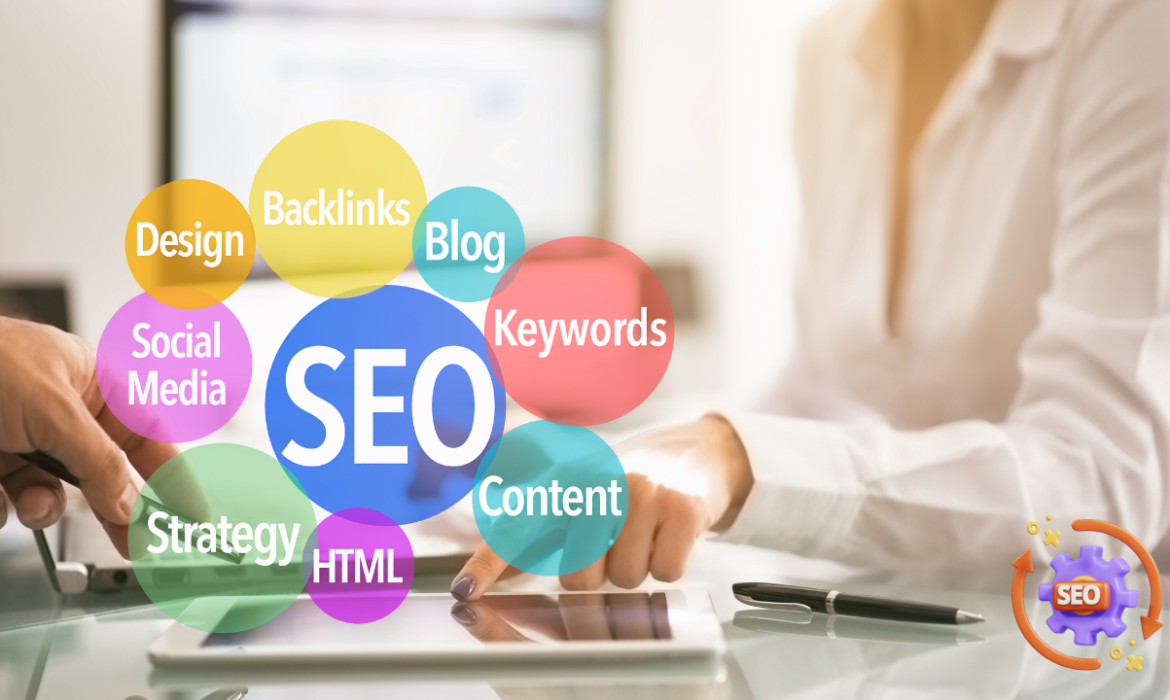
The Ultimate Guide to Technical SEO: Boost Your Website’s Performance and Ranking
Introduction
Technical SEO refers to all activities done to improve the technical infrastructure of a website. Unlike on-page SEO which focuses on content, or off-page SEO which centers on link building, technical SEO emphasizes creating a solid foundation for your website’s search visibility. This comprehensive guide will help you understand technical SEO and the actionable steps you can take to optimize your website’s performance.
1. Website Speed and Performance Optimization
Page speed impacts user experience and search engine ranking. According to research, 53% of mobile users abandon sites that take more than 3 seconds to load. Here’s how you can improve page speed:
- Minimize HTTP Requests: Reduce the number of elements on each page, such as scripts, images, and CSS files, to decrease server requests.
- Optimize and Compress Images: Use appropriate file formats like WebP or JPEG and compress images without sacrificing quality using tools like TinyPNG or ShortPixel.
- Leverage Browser Caching: Store frequently accessed elements in the user’s cache to minimize server load.
- Minify CSS, JavaScript, and HTML: Remove unnecessary characters and code to reduce file sizes.
- Use a Content Delivery Network (CDN): CDNs distribute content through a network of servers to deliver data faster to users based on their geographic location.
2. Mobile-Friendliness and Mobile-First Indexing
Mobile-friendliness is crucial for both users and search engines. With Google’s mobile-first indexing, the mobile version of your website is the primary factor for ranking. Here’s what you need to focus on:
- Responsive Web Design: Ensure your website adapts automatically to different devices and screen sizes.
- Improve Page Load Times on Mobile: Mobile users are less patient, so reducing page load times is critical. Avoid large pop-ups, use AMP (Accelerated Mobile Pages) where possible, and optimize server response times.
- Optimize Touch Elements: Make sure that buttons, menus, and links are easy to tap without accidental clicks.
3. Crawlability and Indexability
Search engines need to crawl and index your pages effectively to show them in search results. You can help them by focusing on these aspects:
- Robots.txt: Create and optimize a robots.txt file to control which parts of your site can be crawled by search engines.
- XML Sitemap: Submit a well-structured XML sitemap to Google Search Console. The sitemap should be updated automatically to reflect any changes in your website’s structure.
- Fix Crawl Errors: Use Google Search Console to identify and resolve issues like 404 pages, redirects, and blocked resources.
4. HTTPS and Site Security
Security has become a crucial ranking factor, and an SSL certificate is an industry standard for ensuring secure connections between users and your site. Google flags sites without HTTPS as “Not Secure,” which impacts your rankings and user trust.
- SSL Implementation: Transition to HTTPS if you haven’t done so Technical SEO
already. Ensure all pages, including resources like images and scripts, load securely. - Update Internal Links: Replace any internal HTTP links with HTTPS to avoid mixed content warnings.
- Redirect HTTP URLs: Set up 301 redirects from HTTP to HTTPS URLs to prevent users and bots from accessing unsecured versions.
5. Structured Data and Schema Markup
Structured data, like Schema Markup, helps search engines understand the context of your content. It also increases your chances of appearing in rich results, which can significantly boost click-through rates.
- Identify Key Pages for Schema: Add relevant schema to key pages like product pages, articles, FAQs, recipes, and reviews.
- Test Your Structured Data: Use Google’s Rich Results Test tool to check for errors and preview how your pages may appear in search results.
6. XML Sitemaps: A Blueprint for Search Engines
An XML sitemap acts like a roadmap, guiding search engines to your most important pages. When optimizing your XML sitemap:
- Include All Important Pages: Ensure all essential pages are listed while excluding pages with noindex tags, low-value pages like login or admin pages.
- Update Automatically: Use plugins or CMS functionality to keep your sitemap updated automatically as you add or remove content.
7. Canonical Tags and Avoiding Duplicate Content
Canonical tags prevent duplicate content issues by specifying the main version of a page. Search engines can penalize sites for having duplicate content, leading to ranking drops.
- Set Canonical Tags for Similar Content: For pages with similar content, such as product variants, always point to a canonical version.
- Consolidate Duplicate URLs: Use canonical tags, redirects, or rel=”canonical” to resolve any duplicate content issues caused by URL parameters.
8. URL Structure and Site Architecture
A well-structured website aids both search engines and users. An organized site architecture helps distribute link equity effectively, leading to better rankings.
- Use Descriptive, Short URLs: Your URL structure should be descriptive and free of special characters. Example: example.com/technical-seo-guide.
- Adopt a Flat Architecture: Keep your site’s structure as shallow as possible to minimize the number of clicks it takes for users and bots to reach key pages.
9. Fixing Broken Links and 404 Errors
Broken links and 404 errors can harm your website’s SEO performance and user experience. Regularly auditing your site helps you identify and rectify such issues.
- Use Crawling Tools: Tools like Screaming Frog or Ahrefs help identify broken links and 404 pages.
- Set Up 301 Redirects: Redirect broken pages to relevant pages using 301 redirects to maintain the page authority.
- Optimize Your 404 Page: Create a user-friendly 404 page that offers navigation options or a search bar to guide visitors.
10. Core Web Vitals and UX Improvements
Core Web Vitals are user-centered metrics introduced by Google, focusing on three main areas: Largest Contentful Paint (LCP), First Input Delay (FID), and Cumulative Layout Shift (CLS).
- Improve LCP: Optimize images, implement lazy loading, and upgrade hosting solutions for faster load times.
- Reduce FID: Minimize JavaScript execution to enhance interactivity.
- Fix CLS Issues: Ensure elements don’t shift unexpectedly while the page is loading by specifying dimensions for media elements and avoiding ads in content areas.
Technical SEO Best Practices
- Run Regular Technical Audits: Use tools like Google Search Console, SEMrush, or Screaming Frog to regularly audit your site for technical issues.
- Focus on Site Speed: Prioritize page load times by optimizing images, code, and server response times.
- Stay Updated with Algorithm Changes: Google frequently updates its ranking algorithms. Regularly read updates and adjust your technical SEO practices accordingly.
- Monitor Core Web Vitals: Keep a close eye on Core Web Vitals in Google Search Console to ensure your site delivers a high-quality user experience.
- Ensure HTTPS is Always Used: Periodically review your HTTPS implementation to confirm all resources load securely.
Conclusion
Technical SEO plays a pivotal role in ensuring your website is easily accessible to search engines and provides a seamless user experience. A technically sound site not only improves search engine rankings but also retains and delights visitors. By implementing the practices in this guide, you can establish a strong technical foundation and create a competitive advantage in your SEO efforts.
Call to Action
Want to take your website’s technical SEO to the next level? Start applying these strategies, or contact us for a detailed SEO audit!
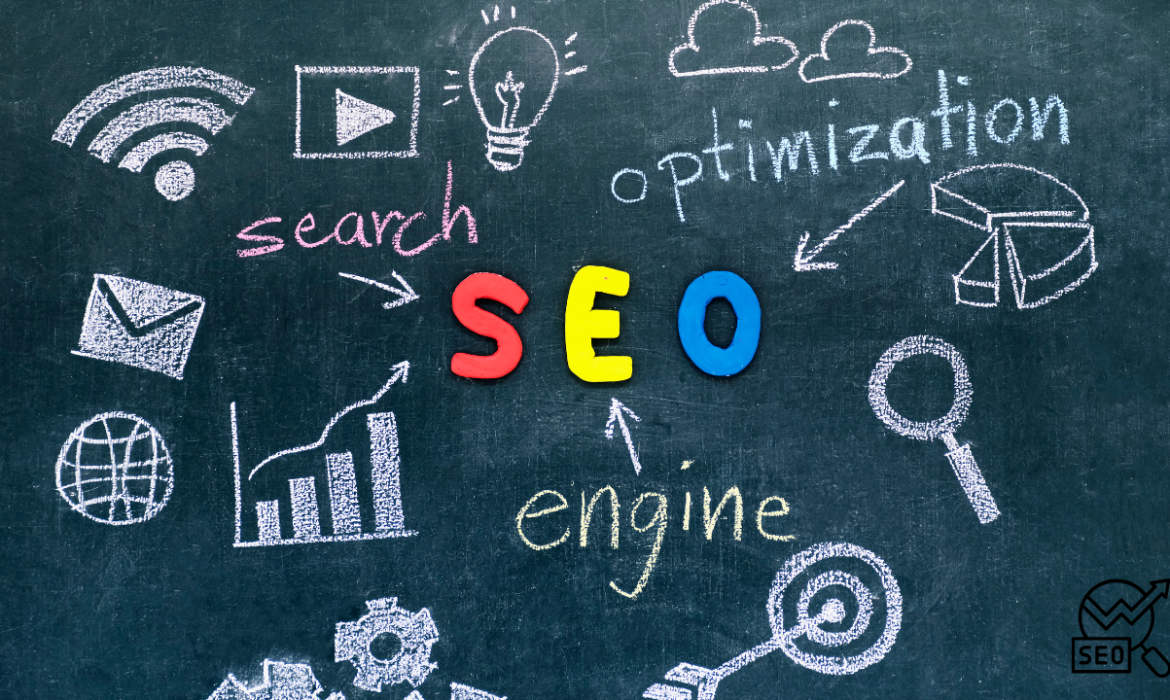
Off-Page SEO: A Comprehensive Guide to Building Website Authority, Trust, and Higher Rankings
Off-page SEO is a critical component of a successful digital marketing strategy, aimed at improving your website’s authority and trustworthiness by leveraging activities that occur outside of your site. While on-page SEO focuses on optimizing individual elements such as content and meta tags, off-page SEO deals with external factors like backlinks, social signals, brand mentions, and reputation. In this guide, we’ll explore in detail the importance of off-page SEO and the various techniques that can elevate your website’s performance in search engine rankings.
What is Off-Page SEO?
Off-page SEO refers to all the actions taken outside your website to improve its ranking in search engine results. These efforts are aimed at showing search engines like Google that your site is popular, authoritative, and trustworthy. It involves activities like:
- Link Building
- Social Media Marketing
- Guest Posting
- Influencer Outreach
- Online Reviews & Reputation Management
- Brand Mentions
- Content Distribution on third-party platforms
These external signals help search engines assess the credibility of your site and its relevance to search queries.
The Importance of Off-Page SEO
Off-page SEO is crucial because it tells search engines how other sites and users perceive your website. Here are the key reasons why it plays a pivotal role in SEO strategy:
- Domain Authority & Trustworthiness
Google and other search engines use off-page factors like backlinks to determine the domain authority (DA) of a website. High-quality backlinks from reputable sites signal that your site is credible and trustworthy. Search engines rely on these indicators to rank your site higher in search results. - Improved Rankings
Off-page SEO, especially link building, is one of the strongest factors influencing your ranking position. Google’s algorithm, for example, heavily factors in PageRank, which measures the quality and quantity of links pointing to a website. - Increased Organic Traffic
A higher ranking leads to increased visibility in search results, which can drive more organic traffic. Moreover, off-page activities like content marketing and social media engagement also generate direct traffic from external platforms. - Brand Awareness and Credibility
Off-page SEO not only boosts your search rankings but also contributes to brand awareness. When your website is mentioned on reputable blogs, news outlets, or social platforms, it fosters trust and familiarity among your audience. - Long-Term Sustainability
On-page SEO tactics can bring short-term results, but off-page SEO ensures long-term success by establishing a solid reputation for your website. A website with strong off-page SEO is more resilient to changes in search engine algorithms.
Key Off-Page SEO Strategies
- Link BuildingLink building remains the most influential off-page SEO strategy. Search engines consider links as “votes” for your website, and quality backlinks act as endorsements from other websites. Here’s a breakdown of key link-building strategies:
- Natural Links: Earned without any direct effort. For example, when someone finds your content useful and links to it naturally.
- Manual Links: Acquired through deliberate outreach, such as guest blogging, submitting content to directories, or influencer collaboration.
- Self-Created Links: Links you create yourself, such as in comments or forum profiles, though these are not very effective and can lead to penalties if misused.
A single backlink from an authoritative website like Forbes, Huffington Post, or university sites is far more valuable than hundreds of low-quality links. Search engines prioritize quality backlinks that come from trusted and relevant sources.Anchor Text Optimization:
The clickable text in a hyperlink is called anchor text, and optimizing this text with relevant keywords can provide context to search engines about the content being linked. - Guest BloggingGuest blogging is a mutually beneficial strategy where you create valuable content for another website in exchange for a backlink to your own site. This technique not only helps in gaining backlinks but also builds authority and credibility in your niche.Ensure that your guest posts are published on reputable websites relevant to your industry. Low-quality or spammy guest posts will not yield favorable results and could lead to penalties.
- Social Media MarketingSocial media platforms, although not directly influencing search engine rankings, are powerful in amplifying content reach, driving traffic, and encouraging engagement, which can indirectly enhance your off-page SEO efforts. By maintaining an active presence on platforms like Facebook, Twitter, Instagram, LinkedIn, and Pinterest, you can foster a community around your brand, which can lead to more shares and natural backlinks.Best Practices for Social Media Off-Page SEO:
- Engage regularly with your followers by answering their questions and responding to comments.
- Share high-quality content that people will want to repost or link to.
- Promote blog posts, case studies, and infographics to drive traffic back to your site.
- Influencer OutreachPartnering with influencers in your industry can help you tap into their existing audience. Influencers often have loyal followers, and when they mention or link to your website, it sends strong trust signals to both search engines and potential customers.Types of Influencer Collaborations:
- Sponsored content or product reviews
- Collaborations for a guest blog post
- Social media shoutouts or giveaways
- Brand MentionsEven if there’s no direct link, brand mentions still contribute to off-page SEO by enhancing your online reputation. Search engines can recognize unlinked brand mentions, and this can positively impact rankings as a trust signal. Set up alerts using tools like Google Alerts to track where your brand is mentioned online.
- Content Marketing Beyond Your SiteBesides posting on your own website, creating and distributing content across third-party platforms is an excellent way to build authority and backlinks. Platforms like Medium, LinkedIn, YouTube, and SlideShare allow you to reach a larger audience.Examples of Content Marketing:
- Writing for online magazines or authority blogs.
- Sharing infographics, podcasts, or videos that others may embed or link back to.
- Participating in webinars or industry forums to build your reputation and earn links.
- Online Reviews & Reputation ManagementOnline reviews have a significant impact on off-page SEO. Positive reviews across review sites like Google My Business, Yelp, and Trustpilot build trust and influence local SEO rankings. Negative reviews, on the other hand, can harm your reputation, so it’s important to actively manage and respond to reviews.Reputation management tools like Birdeye or Reputation.com can help monitor and improve your online presence by responding to customer feedback in real time.
- Forum and Community ParticipationEngaging with industry-specific forums or online communities like Reddit, Quora, and Stack Exchange can help build your brand’s credibility. Answering questions and offering solutions not only positions you as an expert but can also drive referral traffic and generate backlinks when done thoughtfully.
Key Metrics to Monitor Off-Page SEO Success
To measure the effectiveness of your off-page SEO efforts, keep track of the following performance indicators:
- Domain Authority (DA)
Tools like Moz’s Domain Authority or Ahrefs’ Domain Rating can help you monitor how authoritative your website is. - Number of Backlinks
Use tools like Ahrefs, SEMrush, or Moz to track the number of backlinks pointing to your website. Focus on acquiring links from high DA sites. - Referral Traffic
Check Google Analytics to monitor the volume of traffic your website is receiving from referral sources (i.e., external websites and social media). - Social Media Engagement
Track social media shares, likes, and comments to evaluate how engaging your content is across different platforms. - Brand Mentions
Tools like Brand24 or Mention can help you track unlinked brand mentions to assess your online visibility.
Conclusion
Off-page SEO is a powerful strategy that can significantly boost your website’s visibility, authority, and ranking in search results. By focusing on high-quality link-building, social media engagement, influencer outreach, content marketing, and reputation management, you can create a strong foundation for long-term SEO success. Although it requires time and consistent effort, the benefits of off-page SEO are undeniable, and mastering it can be the key to outperforming your competition.