In the competitive digital landscape, a robust online presence is crucial for businesses and individuals. One of the most effective ways to achieve this is through On-Page SEO. This article will explore On-Page SEO in detail, breaking down its components and offering actionable strategies to improve your website’s search engine rankings and user experience.
What is On-Page SEO?
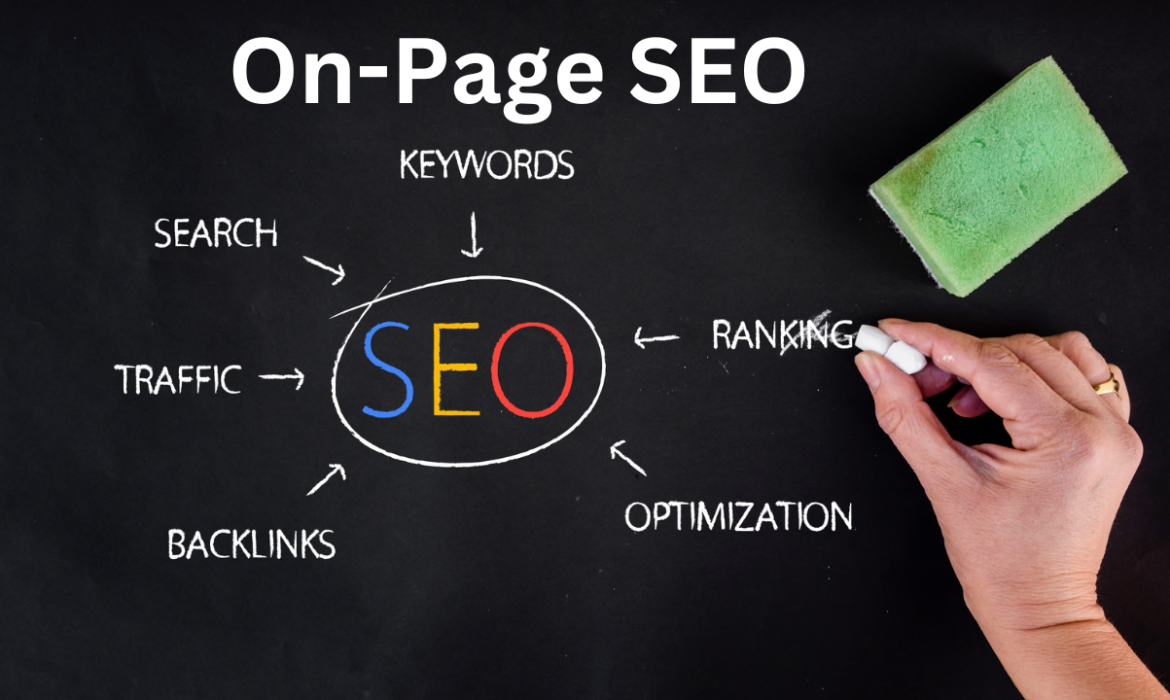
On-page SEO involves optimizing individual web pages to improve their visibility in search engine results and drive relevant traffic. Unlike Off-Page SEO, which focuses on external factors such as backlinks and social media engagement, On-Page SEO focuses on a page’s content and HTML source code. The goal is to ensure that search engines can easily crawl, index, and understand your content, ultimately leading to higher rankings for targeted keywords.
The Importance of On-Page SEO
Effective On-Page SEO has several benefits:
- Improved Search Rankings: Proper optimization can lead to higher rankings in search engine results pages (SERPs), making your content more discoverable.
- Increased Organic Traffic: Higher rankings typically result in more clicks and visits from users actively searching for your content.
- Enhanced User Experience: A well-structured website with quality content and fast loading times provides a better experience for visitors, encouraging them to stay longer and engage with your content.
- Better Conversion Rates: Optimized pages that meet users’ needs are more likely to convert visitors into customers or leads.
Key Elements of On-Page SEO
Here’s a detailed breakdown of the critical components of On-Page SEO:
- Title Tags
- Definition: The title tag is an HTML element that specifies the title of a web page. It is displayed in SERPs as the clickable headline for a given result.
- Best Practices:
- Include your primary keyword near the beginning.
- Keep it under 60 characters to avoid truncation in search results.
- Ensure each title tag is unique to avoid confusion and duplication.
- Meta Descriptions
- Definition: A meta description is a summary of a web page’s content. Although it doesn’t directly affect rankings, it plays a significant role in attracting clicks.
- Best Practices:
- Write compelling and concise summaries (150-160 characters).
- Include relevant keywords to improve visibility.
- Use action-oriented language to encourage clicks.
- Header Tags (H1, H2, H3, etc.)
- Definition: Header tags help structure your content hierarchically. H1 is the main title, while H2 and H3 denote subheadings and sub-subheadings.
- Best Practices:
- Use one H1 tag per page, incorporating the primary keyword.
- Utilize H2 and H3 tags to break up content and include secondary keywords.
- Ensure headers accurately reflect the content beneath them.
- Keyword Optimization
- Definition: Keyword optimization involves strategically placing relevant keywords throughout your content to improve its relevance to search queries.
- Best Practices:
- Conduct thorough keyword research using tools like Google Keyword Planner, Ahrefs, or SEMrush.
- Naturally integrate primary and secondary keywords into your content, particularly in the first 100 words.
- Avoid keyword stuffing, which can lead to penalties.
- Content Quality
- Definition: Content quality refers to the depth, relevance, and engagement of the material you present on your website.
- Best Practices:
- Create in-depth, informative content that addresses the needs and interests of your target audience.
- Use a mix of text, images, videos, and other media to enhance engagement.
- Regularly update your content to keep it relevant and accurate.
- URL Structure
- Definition: URL structure refers to how the web addresses of your pages are organized. A clean URL structure improves usability and SEO.
- Best Practices:
- Use short, descriptive URLs that include relevant keywords.
- Avoid using special characters or long strings of numbers.
- Use hyphens to separate words (e.g.,
example.com/on-page-seo).
- Image Optimization
- Definition: Image optimization involves using images effectively to enhance content while minimizing load times.
- Best Practices:
- Compress images to reduce file size without sacrificing quality.
- Use descriptive file names and include relevant keywords in the alt text.
- Consider using responsive images to improve loading times on mobile devices.
- Internal Linking
- Definition: Internal linking refers to linking to other pages within your website, helping users navigate and providing search engines with context about your content.
- Best Practices:
- Use descriptive anchor text that indicates what the linked page is about.
- Link to relevant pages to enhance user experience and improve SEO.
- Ensure a reasonable number of internal links on each page to avoid overwhelming users.
- Mobile-Friendliness
- Definition: Mobile-friendliness refers to how well your website performs on mobile devices.
- Best Practices:
- Use responsive design to ensure your website adapts to different screen sizes.
- Test your website on various mobile devices to ensure usability.
- Implement mobile-specific optimizations, such as larger buttons and touch-friendly navigation.
- Page Load Speed
- Definition: Page load speed refers to how quickly your web pages load. Fast load times are crucial for both user experience and SEO.
- Best Practices:
- Optimize images and reduce file sizes to improve loading speed.
- Minimize HTTP requests and combine CSS and JavaScript files.
- Use browser caching and content delivery networks (CDNs) to speed up load times.
- Schema Markup
- Definition: Schema markup is a type of code that you can add to your website to help search engines understand the content better and provide richer search results.
- Best Practices:
- Use Schema.org vocabulary to implement structured data relevant to your content.
- Focus on schema types that are most relevant to your website, such as articles, products, or local business information.
- Test your schema markup using Google’s Structured Data Testing Tool.
Best Practices for On-Page SEO
To maximize the effectiveness of your On-Page SEO efforts, consider the following best practices:
- Regular Audits: Perform regular audits of your website using tools like SEMrush, Moz, or Ahrefs to identify areas for improvement and ensure compliance with current SEO practices.
- User Experience: Prioritize user experience by ensuring your website is easy to navigate, visually appealing, and accessible on all devices.
- Monitor Performance: Use Google Analytics and Google Search Console to monitor the performance of your pages, analyze traffic sources, and refine your strategies based on data-driven insights.
- Content Updates: Regularly update your content to keep it fresh and relevant. Search engines favor regularly updated content, which can lead to improved rankings.
- Competitor Analysis: Keep an eye on your competitors’ On-Page SEO strategies. Analyze their content, keywords, and overall performance to identify opportunities for your improvement.
- Stay Updated: SEO is an ever-evolving field. Stay informed about the latest trends, algorithm updates, and best practices by following reputable SEO blogs and attending industry conferences.
Conclusion
On-page SEO is an essential aspect of any digital marketing strategy. By optimizing individual web pages through effective keyword placement, high-quality content, and user-friendly design, you can significantly enhance your website’s visibility and drive more organic traffic. Implement these On-Page SEO best practices, and watch your search engine rankings improve over time. Remember that SEO is a continuous process; staying updated with the latest trends and algorithm changes is vital to maintaining a competitive edge in the digital marketplace. By committing to On-Page SEO, you’re investing in the long-term success of your online presence.