In the ever-evolving digital landscape, having a professional online presence is crucial for success. Whether you’re a freelancer, business owner, or creative, a WordPress website offers an effective and scalable way to present your brand and interact with your audience. WordPress is the most popular CMS globally, powering over 40% of all websites. This comprehensive guide will take you through everything you need to know about building a professional WordPress website, from initial planning to advanced customization.
1. Why Choose WordPress for Your Website?
Choosing the right platform is the first and most crucial decision when building a website. WordPress is a preferred choice for many reasons:
- User-Friendly: Its intuitive dashboard and interface allow beginners to create, edit, and manage content without the need for technical skills.
- Versatile and Scalable: WordPress supports everything from simple blogs to massive e-commerce sites, making it ideal for growing businesses.
- Open-Source Community: WordPress is open-source, meaning a large community constantly contributes to its development. This results in numerous plugins, themes, and continuous improvements.
- SEO Capabilities: WordPress provides built-in SEO features and works well with plugins like Yoast SEO, enabling you to boost your search engine rankings.
- Security Features: Regular updates, security plugins, and best practices make it a secure platform when managed correctly.
2. Planning Your Professional WordPress Website
Before diving into technical steps, planning is essential. Outline your goals, target audience, and website structure. Here’s a checklist:
- Define the Purpose: Is your site for blogging, business promotion, e-commerce, or portfolio display?
- Know Your Audience: Determine who your target audience is and tailor your site’s design and content to their needs.
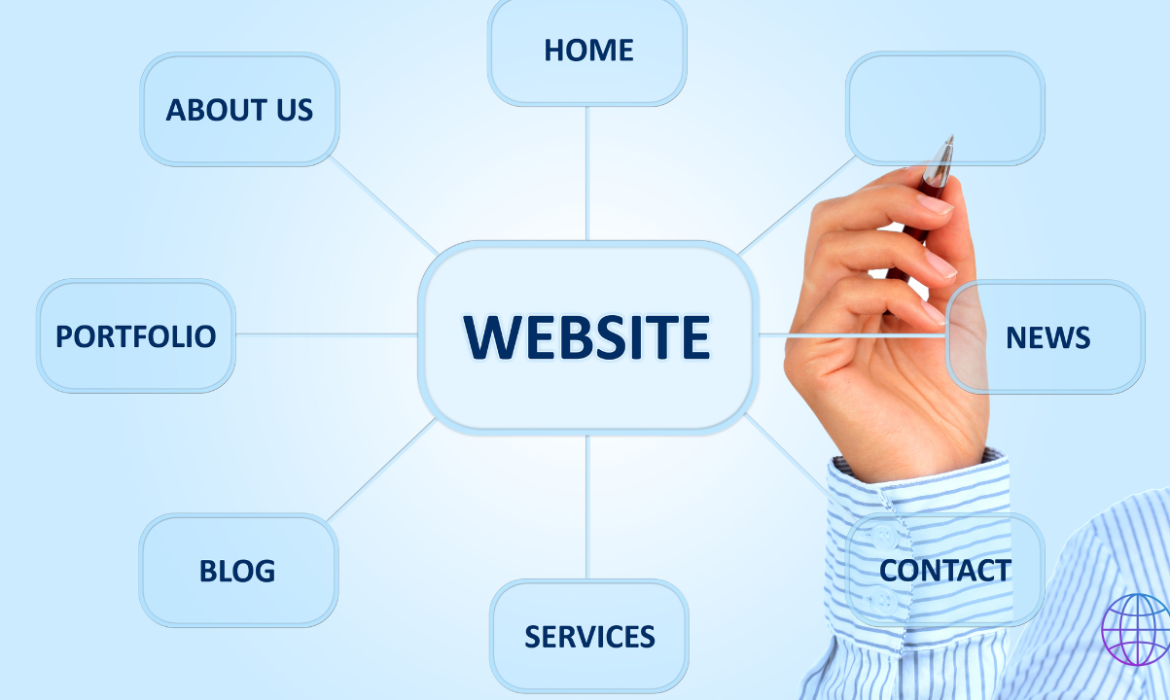
- Map Out Essential Pages: Identify key pages like the homepage, about page, services/products, blog, and contact page.
- Create a Visual Sitemap: Sketch or use tools like Lucidchart to visualize your site’s structure and navigation flow.
3. Choose the Right Hosting Plan for Your WordPress Website
Your website’s hosting plan plays a critical role in its performance, security, and scalability. Consider these types of hosting:
- Shared Hosting: Cost-effective and suitable for beginners or small sites. Your website shares server resources with other sites.
- VPS Hosting: A virtual private server (VPS) offers more control and dedicated resources for moderate to high-traffic sites.
- Dedicated Hosting: Ideal for large businesses or high-traffic websites needing full server control.
- Managed WordPress Hosting: Tailored specifically for WordPress, it includes automatic updates, enhanced security, and support.
Some reputable hosting providers include SiteGround, Bluehost, WP Engine, and Kinsta. Choose based on reliability, performance, support, and pricing.
4. Installing WordPress: Manual vs. One-Click Installation
Most hosting providers offer a one-click installation process, which is recommended for beginners. However, advanced users or developers might prefer manual installation.
One-Click Installation:
- Log in to your hosting account.
- Go to the cPanel and find the WordPress installer (Softaculous, QuickInstall, etc.).
- Click ‘Install,’ select your domain, fill in your site details, and complete the installation.
Manual Installation:
- Download the WordPress .zip file from WordPress.org.
- Upload the extracted files to your server’s public_html directory using an FTP client like FileZilla.
- Create a MySQL database via cPanel.
- Follow the on-screen setup instructions to link the database and finalize the installation.
5. Selecting and Customizing a WordPress Theme
The theme defines your website’s visual appeal and layout. WordPress offers thousands of free and premium themes, but choosing the right one is crucial.
- Free vs. Premium Themes: Free themes are a good start, but premium themes offer enhanced customization, better support, and more robust features.
- Considerations When Choosing a Theme:
- Responsive Design: Your theme should adapt seamlessly to different devices and screen sizes.
- SEO Friendliness: Lightweight themes with clean code help improve site loading speed and SEO performance.
- Customization Options: Look for themes offering drag-and-drop editors, layout variations, and easy-to-use options panels.
Some popular multipurpose themes are Astra, GeneratePress, Divi, and OceanWP. For advanced customization, consider using a theme builder like Elementor or Beaver Builder.
6. Installing Essential Plugins for Added Functionality
Plugins are one of the key reasons WordPress is so popular. Here are some essential plugins every WordPress website should have:
- SEO Plugin: Yoast SEO or Rank Math for optimizing pages and posts for search engines.
- Security Plugin: Wordfence Security, Sucuri, or iThemes Security to protect against threats.
- Backup Plugin: UpdraftPlus or BackupBuddy for automated backups.
- Caching Plugin: W3 Total Cache or WP Rocket for improved speed and user experience.
- Contact Form Plugin: WPForms or Contact Form 7 for creating user-friendly contact forms.
- E-Commerce Plugin: WooCommerce for setting up an online store.
- Analytics Plugin: MonsterInsights for integrating Google Analytics.
For optimal site performance, avoid overloading your website with unnecessary plugins.
7. Creating Essential Pages and Adding Content
When building a WordPress website, certain pages are crucial for delivering a professional user experience:
- Homepage: The most visited page that acts as a gateway to the rest of your site. It should highlight key sections such as your services, products, latest blog posts, and CTAs (Call-To-Action).
- About Page: Share your mission, values, and story to build trust with your audience.
- Services/Products Page: Detail your offerings with clear descriptions, visuals, and pricing information.
- Blog: Regularly updated articles that offer valuable information, industry insights, and updates to engage visitors.
- Contact Page: A well-designed form and contact details for easy communication.
Tip: Use page builders like Elementor, Divi, or the default Gutenberg editor to easily design custom pages without coding knowledge.
8. Optimizing Your WordPress Website for SEO
Search engine optimization (SEO) plays a crucial role in driving organic traffic to your website. Here’s how to make your WordPress website SEO-friendly:
- Perform Keyword Research: Use tools like Google Keyword Planner, Ahrefs, or SEMrush to identify relevant keywords with high search volume and low competition.
- On-Page SEO:
- Title Tags: Use keyword-rich, descriptive titles that are under 60 characters.
- Meta Descriptions: Write engaging meta descriptions within 155-160 characters.
- Alt Text for Images: Include keywords in alt text to help search engines understand image content.
- Use Schema Markup: Leverage plugins like Schema Pro to add structured data for better search engine understanding and rich results.
- Optimize Page Speed: Compress images using Smush, enable caching with WP Rocket, and consider using a CDN (Content Delivery Network) like Cloudflare.
- Mobile Optimization: Ensure your theme is fully responsive and passes Google’s Mobile-Friendly Test.
9. Ensuring Security and Backups for Your WordPress Website
Website security is crucial to protect your site and your users’ data. Follow these best practices:
- Use Strong Passwords: Implement password policies and encourage complex passwords.
- Install SSL Certificates: SSL encrypts data and provides users with a secure experience. Many hosting providers offer free SSL certificates.
- Enable Two-Factor Authentication (2FA): Add an extra layer of protection for admin logins using a plugin like Two Factor Authentication.
- Regular Backups: Schedule daily or weekly backups using plugins like UpdraftPlus or BackupBuddy.
- Update Regularly: Always keep your WordPress core, plugins, and themes updated to avoid vulnerabilities.
10. Launching and Promoting Your WordPress Website
Before launching your WordPress website, perform a thorough check:
- Test All Pages: Ensure all pages, links, forms, and media function correctly.
- Validate HTML and CSS: Use W3C Validator to identify code errors and improve website quality.
- Submit Your Sitemap: Create an XML sitemap using Yoast SEO and submit it to Google Search Console for faster indexing.
- Promote on Social Media: Utilize platforms like LinkedIn, Facebook, Twitter, and Instagram to announce your launch and share your content.
- Implement Email Marketing: Build an email list using plugins like Mailchimp and send regular newsletters to keep visitors engaged.
Conclusion
Building a professional WordPress website may seem daunting initially, but with a clear plan, the right tools, and consistent effort, it becomes a highly rewarding experience. WordPress’s flexibility, scalability, and community support make it an ideal choice for anyone looking to create a robust online presence. By following the steps outlined in this guide, you’ll be able to design a website that’s not only visually appealing but also optimized for search engines, secure, and user-friendly.