Introduction
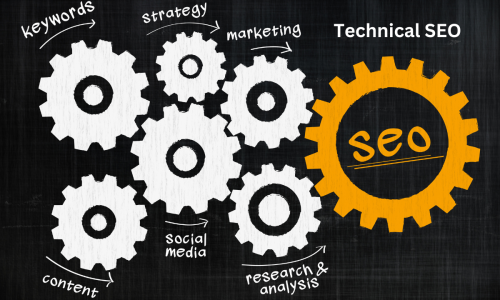
Technical SEO refers to all activities done to improve the technical infrastructure of a website. Unlike on-page SEO which focuses on content, or off-page SEO which centers on link building, technical SEO emphasizes creating a solid foundation for your website’s search visibility. This comprehensive guide will help you understand technical SEO and the actionable steps you can take to optimize your website’s performance.
1. Website Speed and Performance Optimization
Page speed impacts user experience and search engine ranking. According to research, 53% of mobile users abandon sites that take more than 3 seconds to load. Here’s how you can improve page speed:
- Minimize HTTP Requests: Reduce the number of elements on each page, such as scripts, images, and CSS files, to decrease server requests.
- Optimize and Compress Images: Use appropriate file formats like WebP or JPEG and compress images without sacrificing quality using tools like TinyPNG or ShortPixel.
- Leverage Browser Caching: Store frequently accessed elements in the user’s cache to minimize server load.
- Minify CSS, JavaScript, and HTML: Remove unnecessary characters and code to reduce file sizes.
- Use a Content Delivery Network (CDN): CDNs distribute content through a network of servers to deliver data faster to users based on their geographic location.
2. Mobile-Friendliness and Mobile-First Indexing
Mobile-friendliness is crucial for both users and search engines. With Google’s mobile-first indexing, the mobile version of your website is the primary factor for ranking. Here’s what you need to focus on:
- Responsive Web Design: Ensure your website adapts automatically to different devices and screen sizes.
- Improve Page Load Times on Mobile: Mobile users are less patient, so reducing page load times is critical. Avoid large pop-ups, use AMP (Accelerated Mobile Pages) where possible, and optimize server response times.
- Optimize Touch Elements: Make sure that buttons, menus, and links are easy to tap without accidental clicks.
3. Crawlability and Indexability
Search engines need to crawl and index your pages effectively to show them in search results. You can help them by focusing on these aspects:
- Robots.txt: Create and optimize a robots.txt file to control which parts of your site can be crawled by search engines.
- XML Sitemap: Submit a well-structured XML sitemap to Google Search Console. The sitemap should be updated automatically to reflect any changes in your website’s structure.
- Fix Crawl Errors: Use Google Search Console to identify and resolve issues like 404 pages, redirects, and blocked resources.
4. HTTPS and Site Security
Security has become a crucial ranking factor, and an SSL certificate is an industry standard for ensuring secure connections between users and your site. Google flags sites without HTTPS as “Not Secure,” which impacts your rankings and user trust.
- SSL Implementation: Transition to HTTPS if you haven’t done so Technical SEO
already. Ensure all pages, including resources like images and scripts, load securely. - Update Internal Links: Replace any internal HTTP links with HTTPS to avoid mixed content warnings.
- Redirect HTTP URLs: Set up 301 redirects from HTTP to HTTPS URLs to prevent users and bots from accessing unsecured versions.
5. Structured Data and Schema Markup
Structured data, like Schema Markup, helps search engines understand the context of your content. It also increases your chances of appearing in rich results, which can significantly boost click-through rates.
- Identify Key Pages for Schema: Add relevant schema to key pages like product pages, articles, FAQs, recipes, and reviews.
- Test Your Structured Data: Use Google’s Rich Results Test tool to check for errors and preview how your pages may appear in search results.
6. XML Sitemaps: A Blueprint for Search Engines
An XML sitemap acts like a roadmap, guiding search engines to your most important pages. When optimizing your XML sitemap:
- Include All Important Pages: Ensure all essential pages are listed while excluding pages with noindex tags, low-value pages like login or admin pages.
- Update Automatically: Use plugins or CMS functionality to keep your sitemap updated automatically as you add or remove content.
7. Canonical Tags and Avoiding Duplicate Content
Canonical tags prevent duplicate content issues by specifying the main version of a page. Search engines can penalize sites for having duplicate content, leading to ranking drops.
- Set Canonical Tags for Similar Content: For pages with similar content, such as product variants, always point to a canonical version.
- Consolidate Duplicate URLs: Use canonical tags, redirects, or rel=”canonical” to resolve any duplicate content issues caused by URL parameters.
8. URL Structure and Site Architecture
A well-structured website aids both search engines and users. An organized site architecture helps distribute link equity effectively, leading to better rankings.
- Use Descriptive, Short URLs: Your URL structure should be descriptive and free of special characters. Example: example.com/technical-seo-guide.
- Adopt a Flat Architecture: Keep your site’s structure as shallow as possible to minimize the number of clicks it takes for users and bots to reach key pages.
9. Fixing Broken Links and 404 Errors
Broken links and 404 errors can harm your website’s SEO performance and user experience. Regularly auditing your site helps you identify and rectify such issues.
- Use Crawling Tools: Tools like Screaming Frog or Ahrefs help identify broken links and 404 pages.
- Set Up 301 Redirects: Redirect broken pages to relevant pages using 301 redirects to maintain the page authority.
- Optimize Your 404 Page: Create a user-friendly 404 page that offers navigation options or a search bar to guide visitors.
10. Core Web Vitals and UX Improvements
Core Web Vitals are user-centered metrics introduced by Google, focusing on three main areas: Largest Contentful Paint (LCP), First Input Delay (FID), and Cumulative Layout Shift (CLS).
- Improve LCP: Optimize images, implement lazy loading, and upgrade hosting solutions for faster load times.
- Reduce FID: Minimize JavaScript execution to enhance interactivity.
- Fix CLS Issues: Ensure elements don’t shift unexpectedly while the page is loading by specifying dimensions for media elements and avoiding ads in content areas.
Technical SEO Best Practices
- Run Regular Technical Audits: Use tools like Google Search Console, SEMrush, or Screaming Frog to regularly audit your site for technical issues.
- Focus on Site Speed: Prioritize page load times by optimizing images, code, and server response times.
- Stay Updated with Algorithm Changes: Google frequently updates its ranking algorithms. Regularly read updates and adjust your technical SEO practices accordingly.
- Monitor Core Web Vitals: Keep a close eye on Core Web Vitals in Google Search Console to ensure your site delivers a high-quality user experience.
- Ensure HTTPS is Always Used: Periodically review your HTTPS implementation to confirm all resources load securely.
Conclusion
Technical SEO plays a pivotal role in ensuring your website is easily accessible to search engines and provides a seamless user experience. A technically sound site not only improves search engine rankings but also retains and delights visitors. By implementing the practices in this guide, you can establish a strong technical foundation and create a competitive advantage in your SEO efforts.
Call to Action
Want to take your website’s technical SEO to the next level? Start applying these strategies, or contact us for a detailed SEO audit!