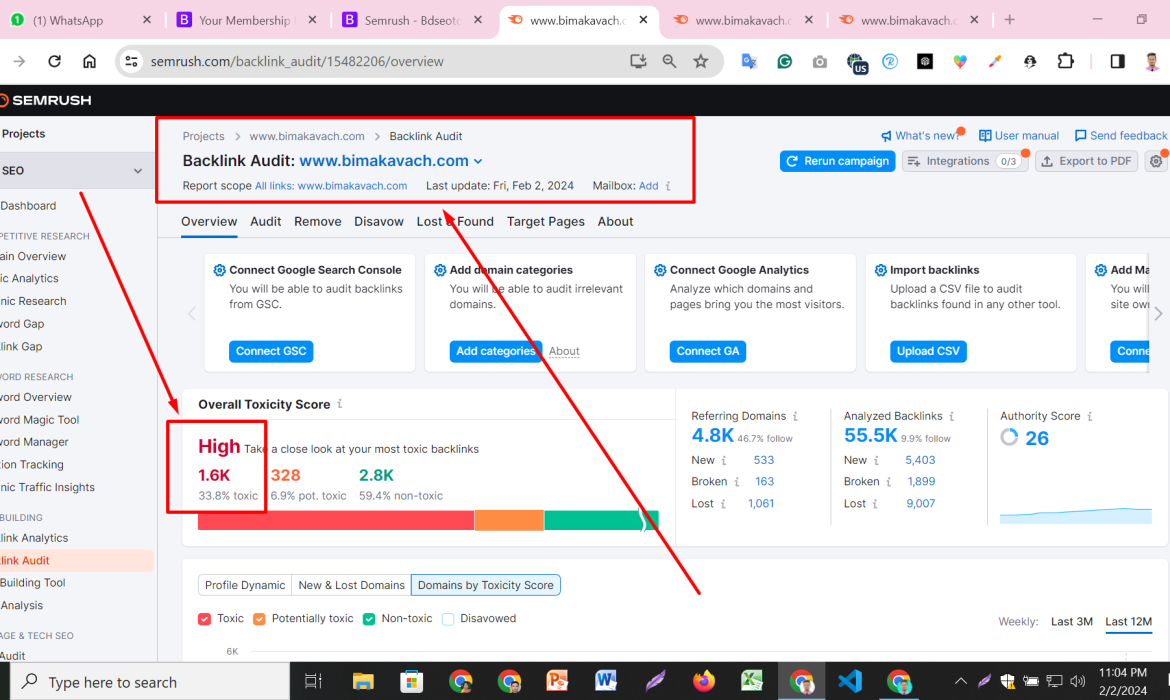
Managing backlinks is crucial in the world of SEO (Search Engine Optimization). However, encountering toxic or spammy backlinks can harm your website’s search engine rankings. Here’s a comprehensive guide on how to identify, disavow, and recover from such links, ensuring your website stays in good standing with Google:
Identifying Toxic Backlinks
- Monitor Backlink Profile:
- Utilize tools like Google Search Console, Ahrefs, or SEMrush to regularly monitor your backlink profile.
- Look for links from low-quality, irrelevant, or suspicious websites.
- Evaluate Link Quality:
- Assess the domain authority, relevance, and trustworthiness of linking sites.
- Check metrics such as spam score and anchor text diversity.
- Identify Red Flags:
- Watch out for sudden spikes in backlinks or links from known spammy domains.
- Analyze the context in which your link appears (e.g., comment sections, forum signatures).
Steps to Disavow Toxic Backlinks
- Create a List of Toxic Links:
- Compile a list of URLs or domains from which you wish to disavow links.
- Use Google Sheets or a text editor to organize this list for submission to Google.
- Generate Disavow File:
- Format your list using Google’s disavow file format (a simple text file with one URL or domain per line).
- Clearly indicate whether you disable a specific URL (domain.com/page) or entire domain (domain.com).
- Submit Disavow File to Google:
- Access Google’s Disavow Tool within Google Search Console.
- Upload your disavow file and submit it. Note that this process informs Google to ignore specified links when assessing your site’s ranking.
Recovering from Google Penalties
- Identify the Penalty Type:
- Check Google Search Console for any manual actions or penalty notifications.
- Understand whether the penalty is related to backlinks or other SEO practices.
- Take Corrective Actions:
- If the penalty is link-related, disavow toxic links promptly.
- Address other SEO issues such as thin content, keyword stuffing, or cloaking if applicable.
- Request Reconsideration:
- After disavowing toxic links and addressing SEO issues, submit a reconsideration request through Google Search Console.
- Be transparent about the steps taken to rectify the issue and prevent future violations.
Best Practices for Long-Term Backlink Management
- Build High-Quality Backlinks:
- Focus on acquiring backlinks from reputable, relevant websites in your industry.
- Engage in content marketing, guest blogging, and relationship-building with influencers.
- Regularly Audit Your Backlink Profile:
- Conduct periodic audits to identify and address any new toxic backlinks.
- Stay proactive in monitoring changes in your backlink profile and search engine guidelines.
By following these steps diligently, you can effectively disavow toxic backlinks, recover from Google penalties, and maintain a healthy backlink profile that enhances your website’s SEO performance and credibility in the eyes of search engines.