
Disavowing Toxic Backlinks: How to Remove Spammy Links and Recover from Google Penalties
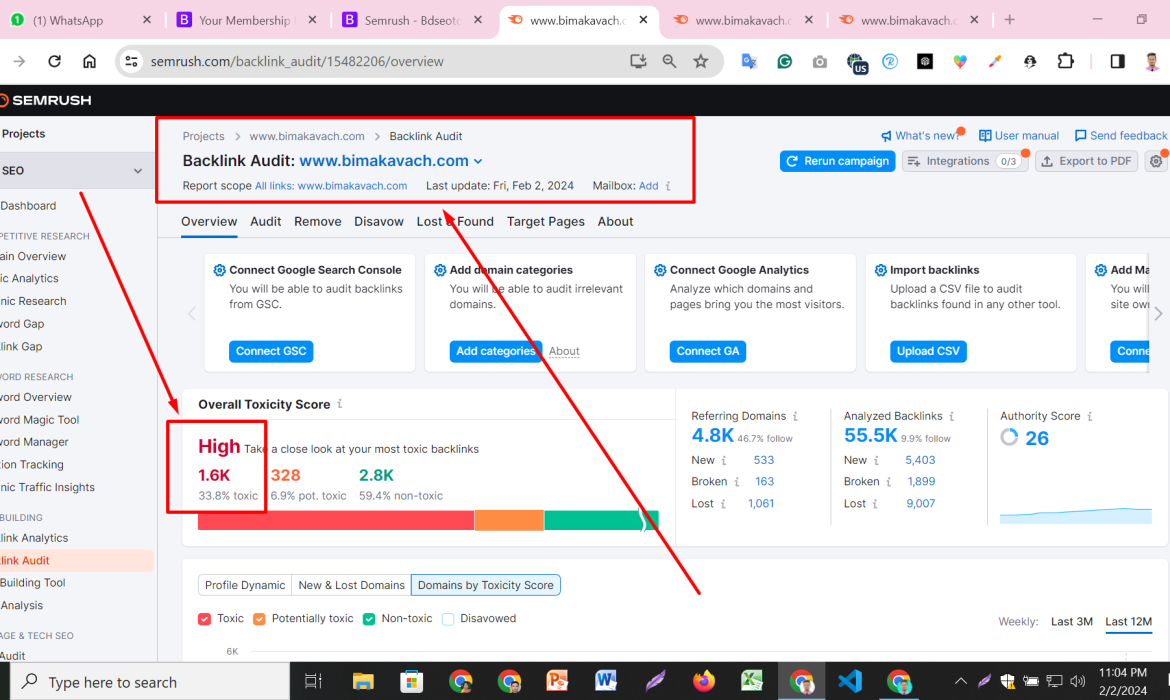
Managing backlinks is crucial in the world of SEO (Search Engine Optimization). However, encountering toxic or spammy backlinks can harm your website’s search engine rankings. Here’s a comprehensive guide on how to identify, disavow, and recover from such links, ensuring your website stays in good standing with Google:
Identifying Toxic Backlinks
- Monitor Backlink Profile:
- Utilize tools like Google Search Console, Ahrefs, or SEMrush to regularly monitor your backlink profile.
- Look for links from low-quality, irrelevant, or suspicious websites.
- Evaluate Link Quality:
- Assess the domain authority, relevance, and trustworthiness of linking sites.
- Check metrics such as spam score and anchor text diversity.
- Identify Red Flags:
- Watch out for sudden spikes in backlinks or links from known spammy domains.
- Analyze the context in which your link appears (e.g., comment sections, forum signatures).
Steps to Disavow Toxic Backlinks
- Create a List of Toxic Links:
- Compile a list of URLs or domains from which you wish to disavow links.
- Use Google Sheets or a text editor to organize this list for submission to Google.
- Generate Disavow File:
- Format your list using Google’s disavow file format (a simple text file with one URL or domain per line).
- Clearly indicate whether you disable a specific URL (domain.com/page) or entire domain (domain.com).
- Submit Disavow File to Google:
- Access Google’s Disavow Tool within Google Search Console.
- Upload your disavow file and submit it. Note that this process informs Google to ignore specified links when assessing your site’s ranking.
Recovering from Google Penalties
- Identify the Penalty Type:
- Check Google Search Console for any manual actions or penalty notifications.
- Understand whether the penalty is related to backlinks or other SEO practices.
- Take Corrective Actions:
- If the penalty is link-related, disavow toxic links promptly.
- Address other SEO issues such as thin content, keyword stuffing, or cloaking if applicable.
- Request Reconsideration:
- After disavowing toxic links and addressing SEO issues, submit a reconsideration request through Google Search Console.
- Be transparent about the steps taken to rectify the issue and prevent future violations.
Best Practices for Long-Term Backlink Management
- Build High-Quality Backlinks:
- Focus on acquiring backlinks from reputable, relevant websites in your industry.
- Engage in content marketing, guest blogging, and relationship-building with influencers.
- Regularly Audit Your Backlink Profile:
- Conduct periodic audits to identify and address any new toxic backlinks.
- Stay proactive in monitoring changes in your backlink profile and search engine guidelines.
By following these steps diligently, you can effectively disavow toxic backlinks, recover from Google penalties, and maintain a healthy backlink profile that enhances your website’s SEO performance and credibility in the eyes of search engines.

Google’s Top Strategies for B2B LinkedIn Lead Generation and Targeted Email List Building Across Industries
In the realm of B2B (business-to-business) marketing, LinkedIn stands out as a powerhouse for lead generation, particularly through its robust advertising and networking capabilities. Coupled with targeted email list building strategies, businesses across various industries can leverage these platforms effectively to reach and convert their ideal prospects. Here’s a detailed exploration of Google’s recommended approaches:
Leveraging LinkedIn for B2B Lead Generation
LinkedIn offers a unique environment where professionals and businesses connect, making it an ideal platform for B2B lead generation. To maximize its potential:
- Optimize Your LinkedIn Profile and Company Page:
- Ensure your profile and company page are complete, professional, and aligned with your brand’s messaging.
- Use relevant keywords in your profile and headline to increase discoverability in LinkedIn searches.
- Content Marketing and Thought Leadership:
- Share insightful articles, industry updates, and thought leadership pieces to establish credibility and attract followers.
- Join and engage in relevant LinkedIn groups to expand your network and visibility.
- Utilize LinkedIn Ads:
- LinkedIn’s advertising platform allows for precise targeting based on job title, industry, company size, and more.
- Create compelling ad copy and visuals that resonate with your target audience’s pain points and interests.
- Engage with Personalized Outreach:
- Leverage LinkedIn’s messaging feature to send personalized connection requests and messages to prospects.
- Craft messages that demonstrate understanding of their challenges and how your solution can provide value.
Strategies for Targeted Email List Building
Building a targeted email list is crucial for effective B2B marketing campaigns. Here’s how to build and maintain a high-quality email list:
- Create Valuable Lead Magnets:
- Offer free resources such as eBooks, whitepapers, or webinars in exchange for email subscriptions.
- Ensure the content addresses common pain points of your target audience.
- Segment Your Email List:
- Segment your email list based on factors like industry, job title, and past interactions with your brand.
- Tailor your email content and offers to each segment’s specific needs and preferences.
- Use Opt-in Forms Strategically:
- Place opt-in forms prominently on your website, blog, and social media profiles.
- Clearly communicate the benefits of subscribing to encourage sign-ups.
- Engage in Regular Email Campaigns:
- Develop a consistent schedule for sending relevant and valuable content to your email subscribers.
- Include strong calls-to-action (CTAs) that encourage recipients to take the next step in their buyer’s journey.
Industry-Specific Insights and Best Practices
While the overarching strategies remain consistent, it’s essential to tailor your approach based on industry nuances:
- Technology: Highlight innovation and ROI metrics.
- Healthcare: Emphasize compliance and patient outcomes.
- Finance: Address security concerns and regulatory compliance.
- Manufacturing: Focus on efficiency improvements and supply chain resilience.
- Consulting: Showcase expertise through case studies and client testimonials.
By combining the power of LinkedIn for targeted outreach with effective email list building strategies, businesses can enhance their B2B lead generation efforts across diverse industries. Continuous optimization and adaptation to industry trends will further amplify success in reaching and converting prospects into valuable customers.

How to Upload Products on WooCommerce and Shopify: A Step-by-Step Guide
In today’s digital age, having an online store is essential for any business looking to reach a wider audience. Two of the most popular platforms for setting up an online store are WooCommerce and Shopify. Each has its own set of features, benefits, and processes for uploading products. In this comprehensive guide, we’ll walk you through the steps of uploading products on both WooCommerce and Shopify, ensuring your online store is set up for success.
Setting Up Your Online Store
Choosing the Right Platform
The first step in setting up your online store is choosing the right platform. WooCommerce is a plugin for WordPress, offering extensive customization options and control. Shopify, on the other hand, is an all-in-one e-commerce solution that is user-friendly and requires minimal technical knowledge.
Initial Setup and Installation
Once you’ve chosen your platform, follow the respective setup guides to install WooCommerce or create a Shopify account. Both platforms provide detailed instructions to help you get started.
Uploading Products on WooCommerce
Accessing the WooCommerce Dashboard
Log in to your WordPress site and navigate to the WooCommerce dashboard. From here, you can manage all aspects of your store, including adding new products.
Adding a New Product
Click on “Products” in the sidebar menu, then select “Add New.” This will take you to the product editing screen.
Setting Product Details
Product Name and Description
Enter a descriptive product name and a detailed description. This is where you highlight the features and benefits of your product.
Price and Inventory
Set the product price and manage inventory. You can specify the regular price, sale price, and stock quantity.
Shipping Details
Provide shipping information, including weight and dimensions. This is crucial for calculating shipping costs.
Adding Product Images
Upload high-quality images of your product. WooCommerce allows you to set a main product image and add additional gallery images.
Setting Product Categories and Tags
Organize your products by assigning them to relevant categories and adding tags. This helps customers find products easily.
Publishing the Product
Once you’ve filled in all the details, click “Publish” to make your product live on your WooCommerce store.
Uploading Products on Shopify
Accessing the Shopify Admin
Log in to your Shopify account and go to the admin dashboard. This is where you can manage your store and products.
Adding a New Product
Click on “Products” in the sidebar, then select “Add product.” This will open the product creation page.
Setting Product Details
Product Name and Description
Enter the product name and a detailed description. Make sure to highlight the key features and benefits.
Price and Inventory
Set the product price and manage inventory. Shopify allows you to specify the regular price, sale price, and track inventory.
Shipping Details
Provide shipping information, including weight and dimensions. Accurate shipping details ensure proper cost calculations.
Adding Product Images
Upload high-quality images. Shopify lets you set a main product image and add additional images to showcase your product.
Setting Product Categories and Tags
Assign your product to relevant categories and add tags to improve searchability and organization.
Publishing the Product
After entering all the necessary information, click “Save” to publish your product on your Shopify store.
Advanced Product Options
Variants and Options
Both WooCommerce and Shopify allow you to create product variants. This is useful for products that come in different sizes, colors, or styles.
Managing Digital Products
If you sell digital products, both platforms provide options for uploading and managing downloadable items.
Setting Up Downloadable Products
Specify the file to be downloaded and set any necessary restrictions or limitations for access.
SEO Optimization for Products
Importance of SEO in E-commerce
SEO is crucial for driving organic traffic to your online store. Optimizing your product listings can improve your search engine rankings and visibility.
Keyword Research
Conduct keyword research to find relevant terms your potential customers are searching for. Use these keywords in your product titles and descriptions.
Optimizing Product Titles and Descriptions
Craft compelling and keyword-rich product titles and descriptions. This not only helps with SEO but also entices customers to make a purchase.
Using Alt Text for Images
Add descriptive alt text to your product images. This improves accessibility and helps search engines understand the content of your images.
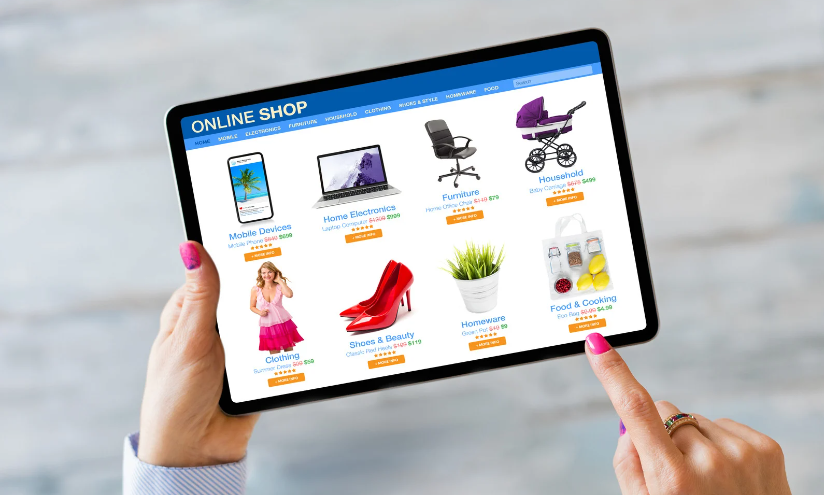
Managing Inventory
Keeping Track of Stock
Regularly update your inventory to ensure you don’t run out of stock. Both WooCommerce and Shopify offer tools to help you manage inventory efficiently.
Setting Low Stock Alerts
Enable low stock alerts to receive notifications when inventory levels are running low. This helps prevent stockouts and lost sales.
Automating Inventory Updates
Consider using inventory management software to automate updates and keep your stock levels accurate.
Handling Product Reviews
Enabling Reviews on Your Store
Product reviews can build trust and influence purchasing decisions. Enable reviews on your store to allow customers to leave feedback.
Moderating Reviews
Monitor and moderate reviews to ensure they are genuine and constructive. Address any negative reviews professionally to maintain your reputation.
Using Reviews to Boost Sales
Highlight positive reviews on your product pages to build credibility and encourage more sales.
Integrating with Social Media
Sharing Products on Social Platforms
Use social media to promote your products. Share links to your product pages on platforms like Facebook, Instagram, and Twitter.
Using Social Media for Product Promotions
Run social media campaigns to promote new products, sales, and special offers. Engage with your audience to build a loyal customer base.
Monitoring and Analyzing Performance
Using Analytics Tools
Both WooCommerce and Shopify offer built-in analytics tools to help you track your store’s performance. Use these tools to gather insights into sales, traffic, and customer behavior.
Tracking Sales and Customer Behavior
Monitor your sales data and customer interactions to understand what’s working and what needs improvement.
Adjusting Strategies Based on Data
Use the insights from your analytics to adjust your marketing and sales strategies. Continuously optimizing based on data will help you achieve better results.
Common Mistakes to Avoid
Overlooking Product Details
Ensure all product details are accurate and complete. Missing or incorrect information can lead to customer dissatisfaction.
Ignoring SEO Practices
Don’t neglect SEO. Without proper optimization, your products might not reach their full potential audience.
Poor Image Quality
High-quality images are crucial for online sales. Ensure your product images are clear and professional.
Tips for a Successful Product Launch
Pre-Launch Marketing Strategies
Build anticipation for your product launch with pre-launch marketing strategies. Use email marketing, social media teasers, and influencer collaborations to create buzz.
Creating Buzz Around New Products
Engage with your audience through live streams, blog posts, and countdowns to generate excitement.
Engaging with Early Customers
Offer special incentives to early customers, such as discounts or exclusive access, to encourage purchases and reviews.
Conclusion
Setting up and managing an online store can seem daunting, but with platforms like WooCommerce and Shopify, it becomes much more manageable. By following the steps outlined in this guide, you’ll be well on your way to successfully uploading and optimizing your products, ensuring a seamless shopping experience for your customers.
FAQs
How many products can I upload on WooCommerce and Shopify?
Both WooCommerce and Shopify support an unlimited number of products. However, performance may vary based on your hosting plan and website traffic.
Can I bulk upload products?
Yes, both platforms offer bulk upload options. WooCommerce uses CSV files, while Shopify also supports CSV imports for mass product uploads.
How do I manage out-of-stock products?
Both platforms allow you to set inventory levels and enable out-of-stock alerts. You can also choose to hide out-of-stock products from your store.
What are the best practices for product descriptions?
Write clear, concise, and informative descriptions. Highlight key features, benefits, and use keywords strategically for SEO purposes.
How can I improve product visibility on search engines?
Optimize your product titles, descriptions, and images with relevant keywords. Additionally, build backlinks and engage in social media marketing to boost your product’s SEO.


